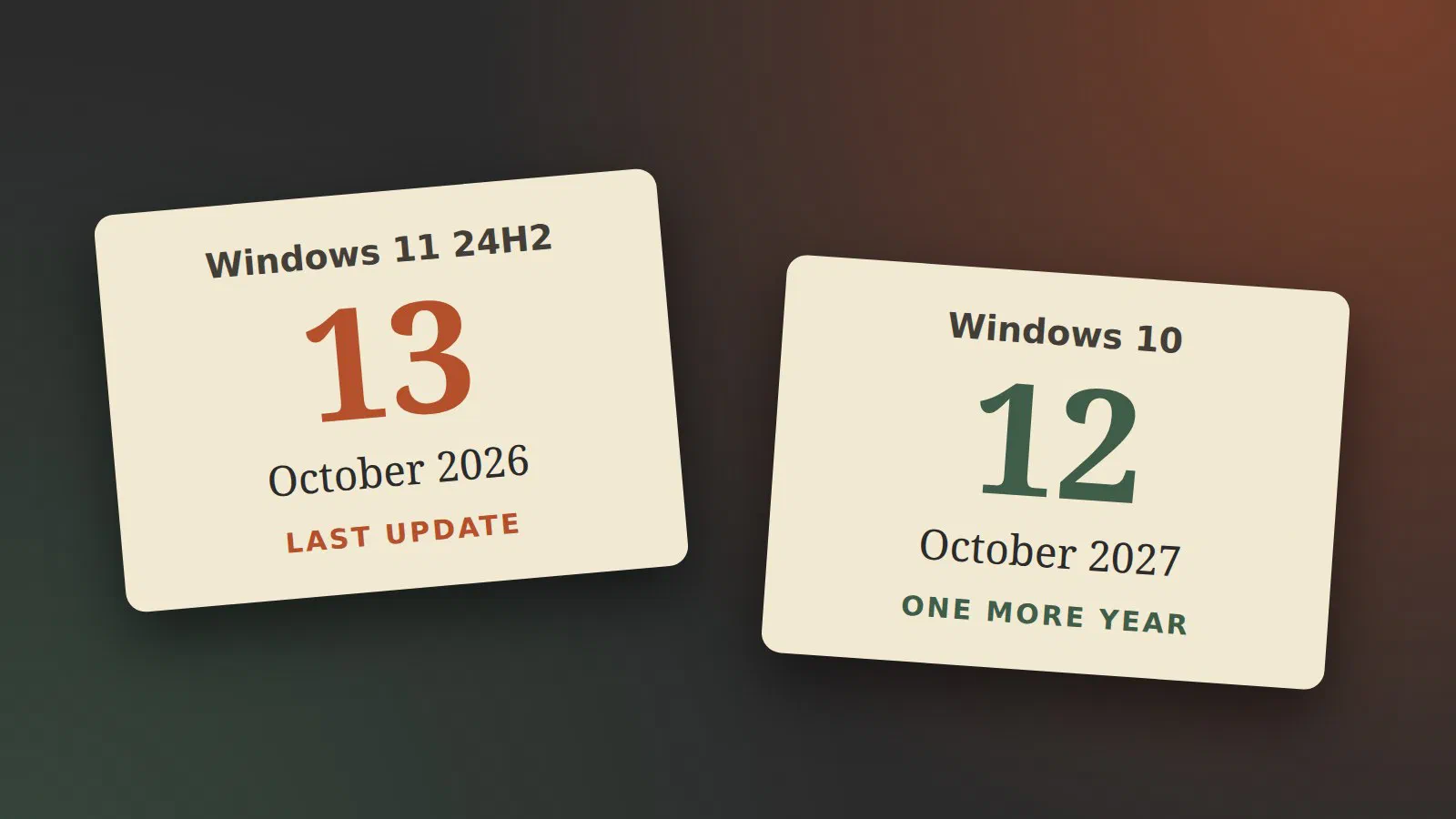
Two Windows dates have been mixed together in a lot of headlines this autumn, so here they are, separated.
- Windows 11, version 24H2, Home and Pro: the last update comes on Tuesday 13 October 2026 [1].
- Windows 10: nothing ends this month. The extended security updates for home users, which were supposed to stop now, run until 12 October 2027 [2].
Windows 11 24H2: update to a newer version
Each yearly version of Windows 11 is only maintained for a limited time. For Home and Pro that is two years, and 24H2 came out on 1 October 2024 [1]. After 13 October, a PC that is still on 24H2 gets no more security fixes.
The fix is to move to a newer version, and it costs nothing:
- Press the Windows key, type
winverand press Enter. The window shows which version you have. - If it says 24H2, open Settings → Windows Update and install the feature update that is offered. 25H2 is supported until October 2027, and 26H2, which came out on 29 September, until October 2028 [1].
Most PCs will already have been offered the update. The ones to look for are the PCs nobody looks at: the one in the workshop, the laptop a parent uses twice a month, the PC where updates were paused at some point.
I have no 24H2 machines of my own left. At work we recently pushed a policy that updated most of the remaining 24H2 machines to 25H2 automatically. Apart from one single machine, that went more or less without a glitch. I can’t say how long it took per machine, so set time aside for it and don’t start it right before you need the PC.
None of those machines has been offered 26H2 yet, as far as I know. That is expected. Microsoft writes that “the rollout is phased and will expand over the next few months”, and that it starts with PCs where the setting “Get the latest updates as soon as they’re available” is turned on [3]. At home it has started to arrive: a ThinkPad X390 on 25H2 was offered 26H2 on 8 October, nine days after the release. So install 26H2 if it is offered, and don’t wait for it if it isn’t: 25H2 is enough.
What about 26H1?
You may have seen a version called 26H1, from February. It is not an
update you can install or should look for. Microsoft’s release list
says it “is not offered as an in-place update from 24H2 or 25H2 on
existing devices” [4]. It comes installed on new PCs with
the newest Arm processors, starting with Qualcomm’s Snapdragon X2, and
it is not for ordinary Intel and AMD machines, or for Arm PCs you
already own [5]. If winver says 26H1, the PC is one of
those, and it is supported until March 2028 [4].
Enterprise and Education have a year more
If the PC runs Windows 11 Enterprise or Education, 24H2 is not at the end yet. Those editions get three years per version, so 24H2 continues until October 2027 [6]. That is the reason a work laptop can stay on 24H2 while the Pro machine next to it has to move.
The version that does end soon for Enterprise and Education is 23H2, on 10 November 2026 [6].
Windows 10: one more year, if the PC is enrolled
Windows 10 reached the end of ordinary support on 14 October 2025 [7]. Since then, security updates only come to PCs that are enrolled in Extended Security Updates (ESU). For home users that programme was a single year, ending this month.
On 25 June 2026 Microsoft extended it, without much of an announcement. BleepingComputer quotes the note Microsoft added to its documentation: “We understand that moving to a new PC can take time. […] Coverage will now be available through October 12, 2027.” [8]
What that means in practice:
- If the PC is already enrolled, you do not have to do anything: “Users already enrolled will automatically remain covered until the new October 2027 end date.” [8]
- If it is not enrolled, you still can: “You can enroll in ESU any time until the program ends on October 12, 2027.” [2] The PC has to be on Windows 10 version 22H2 [7]. You enrol under Settings → Windows Update.
- What it costs: nothing if you sync your PC settings to a Microsoft account, or 1,000 Microsoft Rewards points, or a one-time payment of 30 US dollars [2]. In the EEA, which includes Denmark, it is free when you sign in to Windows 10 with a Microsoft account [8].
- What you get: “critical and important security updates only” [9]. No new features and no support.
An unenrolled Windows 10 PC has had no security updates for a year. That is the PC to worry about, more than any of the dates above.
Windows 10 in a business
The home programme is not for work PCs. It is “not available for systems joined to Active Directory domains, Microsoft Entra, or managed through Mobile Device Management” [8].
Organisations buy ESU through volume licensing instead. It costs 61 US dollars per device for the first year, “the price doubles every consecutive year, for a maximum of three years”, and if you join in year two you pay for year one as well [7]. Year two starts in November. At those prices it only makes sense for the last few machines, while they are being replaced.
Microsoft 365 Apps on Windows 10 get security updates until 10 October 2028, but no new features: they stay on version 2608 [10].
What I would do this weekend
- Run
winveron every PC in the house, or the office. - Windows 11 24H2: install the feature update.
- Windows 10, enrolled in ESU: you are covered until October 2027. Use the year to decide what replaces the PC.
- Windows 10, not enrolled: enrol today.
- Windows 10 on hardware that can’t run Windows 11: the year is a good time to try Linux on it. That is a post for another day.
If you manage the PCs with Intune
In a business you don’t have to walk from PC to PC. A feature update policy in Intune pushes the new version to the machines that are still on 24H2, which is what we did at work. Three things to have in place before you turn it on:
- Spare machines. Have a PC or two ready to hand out. One of our upgrades went wrong, and you don’t want that person without a PC while you sort it out.
- Files somewhere else. Everybody needs to know that the files they can’t do without must exist in a second place before the upgrade: synced to OneDrive or SharePoint, or in a backup.
- Code committed and pushed. For developers the second place is the version control server they or the company use. Commit and push before the upgrade. OneDrive, Dropbox, Nextcloud and the like do not go well with large source trees, so don’t count on them for code.
Sources
- Windows 11 Home and Pro lifecycle (Microsoft Learn), pulled 2026-10-04
- Windows 10 Consumer Extended Security Updates (ESU) program (Microsoft), pulled 2026-10-04
- Windows 11, version 26H2 known issues and notifications (Microsoft Learn), pulled 2026-10-08
- Windows 11 release information (Microsoft Learn), pulled 2026-10-08
- Windows 11 26H1 only appears on PCs with Snapdragon X2 (ITdaily), pulled 2026-10-08
- Windows 11 Enterprise and Education lifecycle (Microsoft Learn), pulled 2026-10-04
- Extended Security Updates (ESU) program for Windows 10 (Microsoft Learn), pulled 2026-10-04
- Microsoft quietly extends free Windows 10 ESU support to October 2027 (BleepingComputer), pulled 2026-10-04
- End of support for Windows 10 (Microsoft), pulled 2026-10-04
- Windows 10 end of support and Microsoft 365 Apps (Microsoft Learn), pulled 2026-10-04