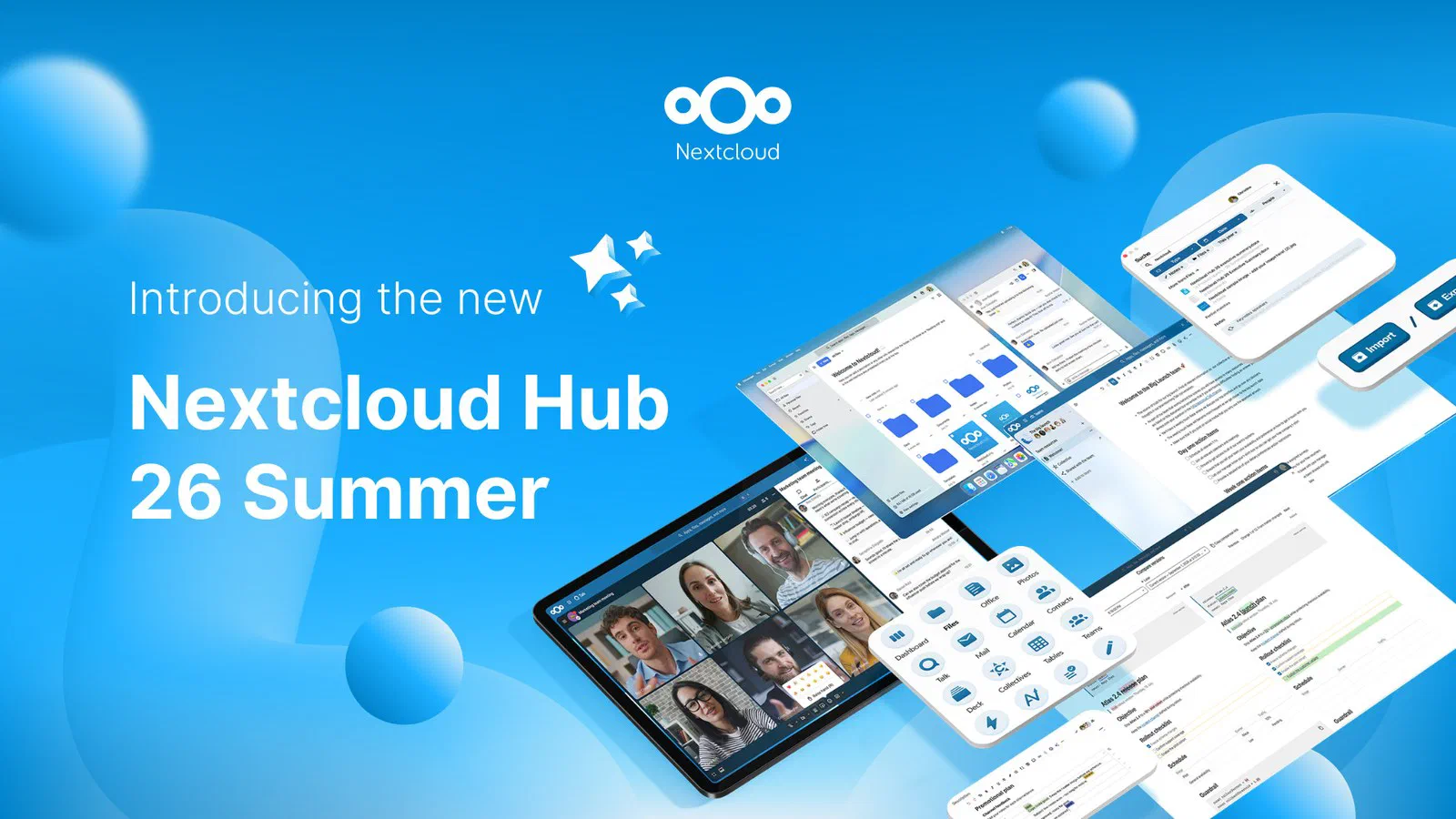
Cover image: Nextcloud GmbH, from the Nextcloud Hub 26 Summer press release (see also the Nextcloud press page).
A short history of Nextcloud
For those of you new to self-hosting and Nextcloud itself, I would like to start this post off with a quick introduction to Nextcloud.
Nextcloud is a way of hosting your own files for yourself and a team similar to what OneDrive and SharePoint do in a Microsoft 365 environment, but without the intranet capability of SharePoint.
The original beginning was Frank Karlitschek announcing ownCloud in a keynote in the beginning of 2010. ownCloud was supposed to be a free, open source alternative to Dropbox [1]. In 2011 Karlitschek co-founds a company ownCloud Inc. to sell an enterprise edition [2].
In 2016 Karlitschek leaves ownCloud Inc. because of a clash between the business and the open source community [3]. He co-founds Nextcloud GmbH and forks ownCloud into Nextcloud and promises a drop-in replacement for ownCloud [4].
Nextcloud 18 “Nextcloud Hub” (2020) becomes the first version to ship office, Talk and groupware built in, with the stated aim of competing with Office 365 and Google Docs [5].
Nextcloud’s new naming and cadence
From 2025 Nextcloud changed their naming convention and v32 became “Hub 25 Autumn” [6]. It was thought that 2025.1, .2 .3 sounded more like minor releases whereas the YY Season sounds more like major versions. Since then we have had [7]:
- v33 Hub 26 Winter
- v34 Hub 26 Spring (June 2026)
- v35 Hub 26 Summer (16 Sep 2026) - current version
- v36 Hub 27 Winter (upcoming version)
Nextcloud 35 highlights
Nextcloud Hub 26 Summer, version 35, came out on 16 September [8], and the first maintenance release, 35.0.1, followed on 24 September [9]. Nextcloud itself says that over 97 % of the pull requests in this release went into maintenance: bug fixes and stability [8]. That’s easy to read past, but for something that holds my family’s files, it’s the part I care most about. The new features are below.
Teams as its own app
Teams now has its own app, where you create, find and manage your teams. Each team gets a home section that ties its files, tasks, knowledge and other resources together, and a team can now own things like Collectives and Deck boards instead of the person who created them [8]. That last part sounds small, but it means a Deck board doesn’t become an orphan when the colleague who made it leaves.
I am looking forward to how this will work for us, both in the family and within our little company. I have yet to make the upgrade, I am waiting for the next release (35.0.2) due out in October, but this is definitely one of the features I am looking forward to.
Talk: classified conversations and announcements
Talk gets a new preset for classified conversations, which switches off public links and guests and restricts message forwarding, recordings and SIP dial-in [8]. There are also two new one-way formats. In a channel, moderators post and subscribers can only read and react. An announcement has a fixed audience that nobody can join or leave on their own [8]. Talk also gets a global message search, which I’m surprised it didn’t have already [8].
If you’re upgrading, read the upgrade section below first: the Talk database migration is one of the problems people have hit.
Office: Euro-Office and a desktop app
The office news is the Euro-Office desktop client for Windows (x64 and arm64), Linux (x64 and arm64) and macOS (arm64). You edit your files locally, save the changes back to the server, and collaborative editing works on the desktop too [8]. It isn’t out yet, though: Nextcloud says it will be “available for download in the coming weeks” [8]. The press release leads with it, so this is clearly the headline Nextcloud wants for 35 [10]. Collabora Online, the other office option, gets improvements as well, including an AI sidebar and a multi-page view in Writer [8].
As mentioned we are still on v34 and I have yet to set up the Online Office server, as we mostly use other applications, like the Microsoft Office Suite, as well as LibreOffice locally. My plan is to set up a separate CODE server so that we can actually edit our files online, but there is such little time … which is why the upcoming Nextcloud series is planned to have a post on just doing that. This way I have to take time to do it!
Photos redesign
Photos has been redesigned. The library has a more flexible grid with adjustable density and loads more smoothly, and there’s a map view, a slideshow mode, a year recap and “Trip Memories”, which groups pictures from the same trip automatically [8]. Videos preview when you hover over them, optional transcoding makes more of them play in the browser, and the iOS and Android apps can now show albums [8].
Currently our photo library exceeds the storage space I have on the server that runs our Nextcloud instance, I have yet to commit our back catalogue of photos, although I have had parts of it imported. Currently the only photos on the server are the ones auto-uploaded from my phones plus a few chosen libraries, and actually those live in Files and Teams more than in Photos. Immich is a great project that we will also cover with a series currently scheduled for January 2027.
Assistant and AI features
The Assistant can now read images: drop one in and ask questions about it, or have the text in it translated. For audio it creates subtitles and splits the transcript into readable paragraphs [8]. It also gets memories, so it remembers what you told it across conversations, and skills, which you set up for multi-step procedures you repeat [8]. Nextcloud also promises faster streaming of answers and batch processing of tasks [8].
I have been struggling with getting the assistant to run reliably, but that is most likely due to not spending enough focused time on it. The server I am running Nextcloud on is a Lenovo Tiny without a discrete graphics card and without the space or connector to plug it into, so running a Local Large Language Model would have to be CPU only. That’s not a path I am ready to go down at the moment.
A few smaller changes worth knowing about: one-time passwords for file shares, Sieve-based mail forwarding, a room finder with free/busy information in Calendar, and a heatmap and better filters in the Activity app [8]. For organisations there’s also a new paid add-on, Nextcloud Governance, with sensitivity labels, retention policies and legal hold [8].
What admins need to know
PHP and database requirement changes
Before upgrading, check what your server runs underneath. Nextcloud 35 drops PHP 8.2 and raises the minimum operating systems to Debian 13 (Trixie), Ubuntu 24.04 and SUSE Linux Enterprise Server 15 SP7 [11]. On the database side, MariaDB 10.6 and MySQL 8.0 are no longer supported: the new minimums are MariaDB 10.11 and MySQL 8.4 [11]. MariaDB 12.3 and MySQL 9.7 are newly supported, but MySQL 9 dropped MD5, which parts of the Nextcloud ecosystem still use. The upgrade notes say to enable it again with INSTALL COMPONENT 'file://component_classic_hashing'; [11].
If you run Nextcloud in Docker, the image takes care of PHP, but the database container is still yours to keep current.
As I am running our Nextcloud setup in a hand-rolled docker-compose.yaml file, I can and have upgraded our PHP and MariaDB. We are currently on the PHP 8.5 and MariaDB 10.11 branches.
Upgrade path from 32, 33 and 34
Nextcloud doesn’t let you skip major versions. You also have to be on the latest maintenance release of your current version before you can move to the next one [12]. From 34 that means updating to the newest 34.0.x first and then to 35. From 33 or 32 it means going through each version in turn, and 32 is at the end of its one year of support [13]. And as the upgrade manual says: take a fresh backup before every upgrade [12].
35.0.1 fixed problems with sharing, the trash bin, favourites, encryption key caching and CalDAV [9] [14]. In the forum thread for the release, a few people reported problems after upgrading [9]. The most serious is in Talk: the database migration can fail on a duplicate index (tta_throom_attendee on the oc_talk_thread_attendees table) and leave the server stuck in maintenance mode. One user got through by removing Talk and Mail, upgrading, dropping the index by hand and installing the apps again. Others saw a database-replica error on the admin overview, which was reportedly fixed shortly after, and a performance warning about the oc_circles_membership table. And the version label says “Hub 26 Spring” instead of “Summer”, which is harmless but doesn’t inspire confidence [9].
The bigger problem is on GitHub. Issue #64505, “Getting a Database error after Manually Updating to Nextcloud 35.0.0”, is about upgrades from 34.0.4 that leave the database in a broken state: a table that should have been created is missing, and the schema check reports unexpected tables and index differences [15]. It’s marked as high priority, several other reports of failed 34-to-35 upgrades have been closed as duplicates of it, and a Nextcloud developer wrote that fixes are being prepared and “should get in with 35.0.2 planned for mid-October” [15]. The issue is locked until then.
The next maintenance round is scheduled for 15 October [7].
Nextcloud 36: what we know
Not much yet. Nextcloud 36 will be called Hub 27 Winter, and its release date hasn’t been announced [7]. Nextcloud aims for a new major version roughly every sixteen weeks, with maintenance releases about every four weeks and a year of support for each version [13]. Going by that, and by last winter’s release, Hub 26 Winter, on 18 February 2026 [7], I’d expect 36 early in 2027. I’ll write about it when it’s out.
Should I upgrade now
If you’re installing Nextcloud fresh, start on 35. The problems reported so far happen when an existing installation’s database is converted from 34: tables and indexes that already exist clash with what the upgrade expects [15] [9]. A new install starts with an empty database, so there’s nothing to convert, and 35.0.2’s fixes arrive later as a normal maintenance update. Starting on 34 would only mean doing this upgrade yourself in a few weeks.
If you’re already running 34, there’s no hurry. 34 is supported until June 2027 and still gets maintenance releases; the next one is due in the 15 October round [7]. Nextcloud’s developers expect the database fixes in 35.0.2 in mid-October [15], so waiting means upgrading once, to a version with the known problems fixed, instead of finding out the hard way whether your database is affected. When you do upgrade: the latest 34.0.x first, a fresh backup, then 35 [12].
My own server is on 34.0.2, two maintenance releases behind.
I have been busy with getting this site up and running, so I have put off updating Nextcloud, only upgrading the apps. And to be honest that is down to the ease of updating the apps by pressing a button vs the more manual work of upgrading the Nextcloud container.
Now staying current is important with respect to security and fixes and also for the smaller improvements and bug fixes, but my current main reason for upgrading the Nextcloud container is actually preparing for the major upgrade to v35 when v35.0.2 is released, most likely mid-October.
For the Nextcloud series starting on 16 December, I’m installing 35 on its own, separate from our production server. That gives the series a clean installation that isn’t shaped by choices I made years ago, and it shows what installing a current version of Nextcloud is like today. Upgrading our own server from 34 to 35 gets a post of its own in November, once 35.0.2 is out.
Sources
- OwnCloud (Wikipedia), pulled 2026-09-29
- Frank Karlitschek (Wikipedia), pulled 2026-09-29
- What we can learn from ownCloud’s collapse (CIO), pulled 2026-09-29
- Core ownCloud Contributors Fork ownCloud Into Nextcloud (Nextcloud press release), pulled 2026-09-29
- Nextcloud (Wikipedia), pulled 2026-09-29
- Introducing our upcoming release: “Nextcloud Hub 25 Autumn” (Nextcloud blog), pulled 2026-09-29
- Maintenance and Release Schedule (nextcloud/server wiki, GitHub), pulled 2026-09-26
- Nextcloud Hub 26 Summer: Autonomy for Teams, Office on desktop, a fresh take on Photos (Nextcloud blog), pulled 2026-09-26
- Final release of 35.0.1 (Nextcloud community), pulled 2026-09-27
- Nextcloud Hub 26 Summer (Nextcloud press release), pulled 2026-09-26
- Upgrade to Nextcloud 35 (Nextcloud Administration Manual), pulled 2026-09-26
- Upgrade manual (Nextcloud Administration Manual), pulled 2026-09-29
- Maintenance and release schedule (Nextcloud Administration Manual), pulled 2026-09-26
- Release v35.0.1 (nextcloud-releases/server, GitHub), pulled 2026-09-27
- Getting a Database error after Manually Updating to Nextcloud 35.0.0, issue #64505 (nextcloud/server, GitHub), pulled 2026-09-29