Late on Thursday afternoon, Danish time, Outlook stopped working for a lot of people, and it wasn’t fully back until early Saturday. This isn’t an “Outlook is down” post. It’s about what happened, how it compares with the other large Microsoft 365 outages of the last two years, and what you can do as the admin of a small tenant. That isn’t much, but it’s something.
What happened on 12-13 November
Microsoft opened incident EX1550543 at 16:17 UTC on Thursday 12 November. It started as people in the Americas being unable to open their mailboxes in Exchange Online, and it grew from there; users reported problems with Teams, Copilot and OneDrive as well [1] [2]. Downdetector had more than 130,000 reports for Outlook at the peak [3]. Microsoft hasn’t said how many users or tenants were affected.
Microsoft’s explanation changed as it went. At first it was “a portion of infrastructure experiencing elevated load”. Later Microsoft said the load was “not driven by an increase in traffic, but by a number of servers being unexpectedly unavailable” [6]. Some servers came back on Thursday evening, and on Friday morning mail access and delivery were gradually improving [2].
On Friday afternoon Microsoft apologised and gave a first explanation: “This was a technical issue not related to cyber or AI / agents. The incident was introduced by an issue during an earlier network capacity upgrade that surfaced following a recent network change.” It said it had restored services gradually, “validating stability at each stage”, and that a full post-incident report would follow when its review was done [18]. Microsoft extended the time that delayed mail keeps trying to deliver to 48 hours, so mail queued during the outage had longer to get through [19].
Early on Saturday Microsoft wrote that it had “completed our efforts to address the underlying issue of the incident and restored service to the remaining impacted customers and regions”. It gave 1:09 a.m. Eastern as the time of full restoration, which is 06:09 UTC on Saturday 14 November [20]. From start to finish, that’s about 38 hours.
That’s Microsoft’s first account, not the post-incident report. It doesn’t say what the upgrade or the change was, or why recovery took so long. A tracker that quotes the final Service health entries says a preliminary report is due within two business days and a final one within five [21]. As of Monday 16 November, neither is out.
It didn’t stay in the Americas. In Denmark, Aalborg University reported on Friday that mail could be neither sent nor received [13], and Aarhus University had the same, with Teams still working [14]. Henrik Brix, the IT chief of Favrskov Municipality, told Politiken that between 80 and 90 of the 98 municipalities were affected [15]. Businesses were hit too: as Dansk Industri put it, by far most Danish companies use a Microsoft service, so no industry went free [16]. Ingeniøren reported that the regions couldn’t receive mail on Friday morning either [22], and the Folketing lost its mail as well [23]. Aarhus University’s later update said Outlook and the calendar were starting to work again, but to expect instability over the weekend [14]. Where I work, it hit offices in the US, in Europe and in India (more on that below).
Two years of large outages
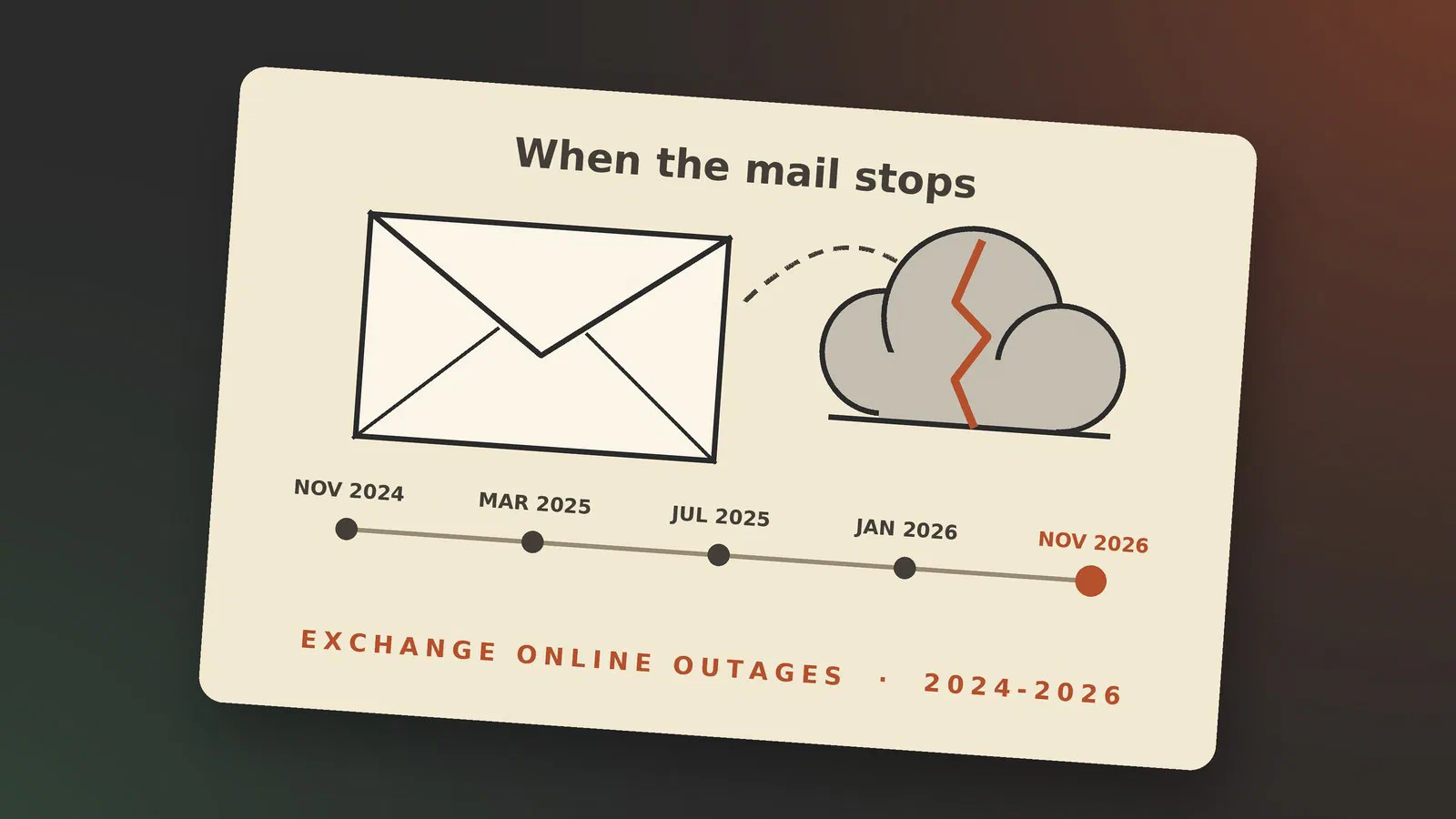
This one is big, but it’s not unusual. Here are the Microsoft 365 outages since 2024 that hit mail hard enough to make the news:
| When | Incident | What stopped | Cause, as far as Microsoft has said |
|---|---|---|---|
| 25-26 Nov 2024 | MO941162 | Exchange Online mailboxes, Teams calendar | “A change that caused an influx of retry requests routed through servers” [8] |
| 1 Mar 2025 | MO1020913 [17] | Outlook sign-in, Teams, Office apps | “A recent update to our authentication systems contained a code issue”; rolled back [9] |
| 9-10 Jul 2025 | Mailboxes over every connection method, from 22:20 UTC | A fix was deployed “following safe change management”; no cause published [10] | |
| 22 Jan 2026 | MO1221364 | Outlook, Teams, Defender, Purview in North America, about 10 hours | Infrastructure in North America “not processing traffic as expected” [11] |
| 12-14 Nov 2026 | EX1550543 | Exchange Online mailboxes, then Teams, Copilot and more, about 38 hours | An issue “during an earlier network capacity upgrade that surfaced following a recent network change”; no PIR yet [18] |
The third-party explanations for some of these don’t agree with each other, and I’ve left them out. Only Microsoft can see inside, so I go by what Microsoft said.
What they have in common
The right-hand column shows two things.
None of them were attacks. They were changes Microsoft made itself: an update to authentication, a change that flooded servers with retries, and, by Microsoft’s first account, this week a network change. At Microsoft’s size every change is rolled out in stages, and some still get through and take out a whole region.
And they take a long time to fix. Rolling back a change is quick, but if mailbox servers have gone down, getting millions of mailboxes back onto healthy servers is not. That’s why “gradually improving” went on for a day and a half this time.
None of this means Microsoft 365 is unreliable. Over a year it’s up far more than a small company’s own mail server would be. But the cloud does go down, and when it does, you can’t fix it yourself.
What it looked like from the inside
I noticed it at work. At the company where I work as a consultant, the first report came from a colleague in the US, which fits with how it started. But it didn’t stay there: mail stopped for us in Europe and in India too. Where your office is doesn’t protect you, because your mailbox lives where your tenant is, and we run one tenant for all three.
Teams kept working. Chat and calls worked all the way through for us. What didn’t work was the part of Teams that lives in Exchange, the calendar. So Teams became the way we talked about the outage, and it was also how customers and partners reached us. Not all of them knew it was global; some thought it was us.
Azure kept working. Our SaaS product runs in Azure, and Azure wasn’t part of this, so the customers’ instances kept running. Signing in to the other Microsoft 365 apps worked too, so as far as I could tell, sign-in itself (Entra ID) wasn’t hit.
Email codes are a weak spot. Some services confirm a login with a code sent by email instead of a password or an authenticator app. If the service sends that code through Exchange Online, or your own mailbox is there, you couldn’t log in to that service either, even though the service itself was fine.
“Should we have kept our own Exchange server?” We talked about that at work. With an on-premises Exchange server, people would have had their mailboxes, and mail inside the company would have kept flowing. Mail from outside might still have stopped, since a lot of the senders are on Exchange Online themselves. The other side of it: it would have been harder to see that something was wrong. Your mailbox opens and an internal test mail arrives, so everything looks fine, while customers’ mail never gets to you. With a blanket outage, everybody knows at once.
What you can do as an admin
You can’t fix Microsoft’s outage, but you can be ready for the next one.
Know where to look. The Service health page in the Microsoft 365 admin center shows the incident with its ID, and it’s the first place Microsoft writes updates. If you can’t get into the admin center, Microsoft’s status page and the Microsoft 365 Status account on X are the fallbacks. Note the incident ID; it’s what you search for later.
Tell your users without mail. When Exchange Online is down, so is your usual way of telling people that it’s down. Decide now what you’ll use: an SMS list, a Teams channel (chat and calls worked for us this time, the calendar didn’t), or a status page outside Microsoft 365.
Know what still works. Outlook in cached mode still shows mail that was already downloaded and lets you write replies, which wait in the outbox. A phone that has synced recently has the same. That’s often enough to get through a morning.
Read the post-incident report. Microsoft publishes a preliminary report within a few days and a final one later, in Service health under the incident. Save a copy. They don’t stay there forever, and when your boss asks what happened in November, that’s the answer.
Think about a mailbox outside the tenant. A few mailboxes at another provider, for the people who have to talk to customers and partners, would still work on a day like Thursday. Some companies already have a couple, left over from before a migration or kept for a marketing tool. It takes some setup to send from your own domain (a subdomain or a second domain, with SPF and DKIM so the mail isn’t marked as spam), and somebody has to remember that it exists.
Check what depends on mail. Make a list of the logins that send a code by email, and give the important ones an authenticator app or a security key as well. The same goes for password resets that only go to a mailbox on the tenant that’s down.
Know what the SLA is worth. Exchange Online has a financially backed uptime of 99.9% a month. That’s about 43 minutes. Below 99.9% you can claim a credit of 25% of that month’s fee, below 99% 50%, and below 95% (about 36 hours) 100% [12]. This week’s outage ran about 38 hours from start to full restoration, but most tenants weren’t down for all of it. The credit isn’t paid automatically: you have to file a claim, and the downtime has to have hit your tenant. For a small business the credit is small. It doesn’t pay for a lost day, so don’t plan with it.
Be honest about alternatives. A second mail provider, a hybrid setup or your own Exchange server all cost something, every day, to protect against a day or two every couple of years, and as above, your own server can hide an outage as easily as it avoids one. For most small businesses that’s not worth it. For some it is. Decide it calmly, not on the day Outlook is down.
What’s next
When Microsoft publishes the post-incident report, I’ll add what it says here, with an “Updated” note at the top.
Sources
- SOCRadar: Microsoft Outlook outage, pulled 2026-11-13
- BleepingComputer: Massive Microsoft 365 outage disrupts Outlook, Teams, Copilot worldwide, pulled 2026-11-13
- TechRepublic: Microsoft Outlook down, over 130,000 outage reports, pulled 2026-11-13
- ABC News: Microsoft Outlook outage updates, pulled 2026-11-13
- TechRadar: Microsoft outage live, November 2026, pulled 2026-11-13
- Windows Forum: EX1550543, unavailable servers, not a traffic surge, pulled 2026-11-13
- Windows Forum: EX1550543 recovery status and admin guidance, pulled 2026-11-13
- BleepingComputer: Microsoft 365 outage impacts Exchange Online, Teams, SharePoint (Nov 2024, quotes Microsoft’s service health update), pulled 2026-11-14
- TechRepublic: Microsoft outage after a “problematic code change”, pulled 2026-11-13
- The Register: Outlook takes another sick day, pulled 2026-11-13
- The Register: Microsoft 365 outage drags on for nearly 10 hours, pulled 2026-11-13
- Microsoft Learn: Explain service level agreement concepts, pulled 2026-11-13
- TV 2 Nord: Aalborg Universitet ramt af Outlook-nedbrud (Danish), pulled 2026-11-13
- Aarhus Universitet: Microsoft Outlook er ramt af nedbrud, det gælder også for AU (Danish), pulled 2026-11-13
- TV 2: Microsoft Outlook er nede i store dele af verden (live) (Danish), pulled 2026-11-13
- POV International: Globalt Microsoft-nedbrud rammer også Danmark (Danish), pulled 2026-11-13
- Ohio University system status: Microsoft 365 issue MO1020913 (mirrors Microsoft’s resolved notice, 1 Mar 2025), pulled 2026-11-14
- NBC Chicago: What caused the Outlook outage? Microsoft issues apology (Microsoft’s statement of Fri 13 Nov in full), pulled 2026-11-14
- CNBC: Microsoft apologizes for massive outage that took down Outlook and other 365 services, pulled 2026-11-14
- al.com via Yahoo News: Microsoft services fully restored after lengthy outage to Outlook, more, pulled 2026-11-14
- StatusStack: Microsoft 365 and Exchange Online outage, November 12, 2026 (third-party tracker), pulled 2026-11-14
- Ingeniøren: Microsoft-nedbrud rammer hele Danmark (Danish), pulled 2026-11-14
- TV 2: Microsoft nede i store dele af verden (live, entry 11.26 “Folketinget ramt af problemer”) (Danish), pulled 2026-11-14