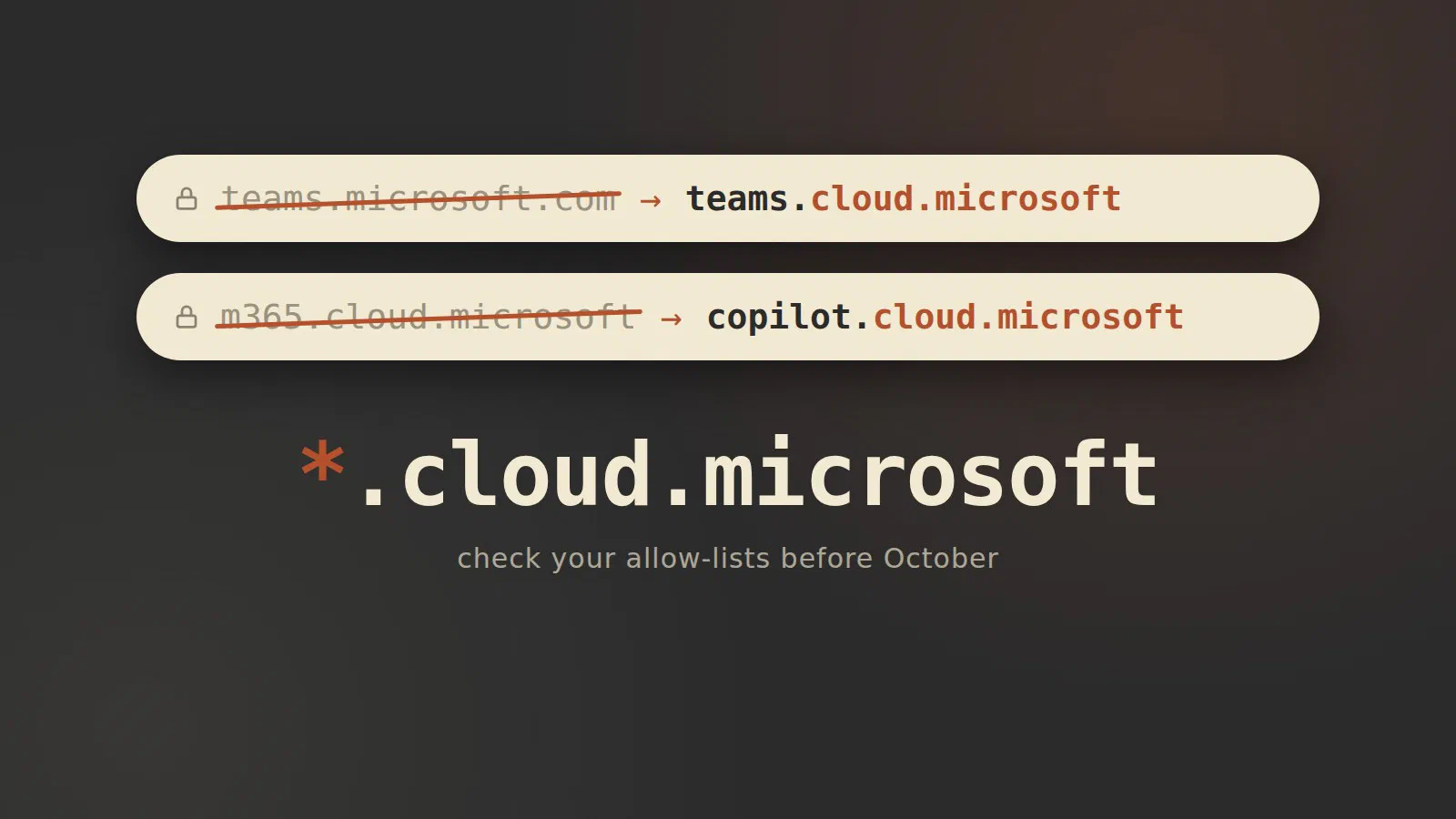
Two of the most used Microsoft 365 web addresses are changing this
autumn. Copilot is moving to copilot.cloud.microsoft and Teams on the
web to teams.cloud.microsoft. If something in your network blocks
*.cloud.microsoft, October is when your users find out.
What’s changing
Copilot: m365.cloud.microsoft becomes copilot.cloud.microsoft
In message center post MC1462915 Microsoft says it started redirecting
users from m365.cloud.microsoft to copilot.cloud.microsoft in early
September, in organisations where the new address is reachable. Everyone
else gets redirected in early October [1]. If the address is
blocked, the redirect happens anyway, and “affected users may be unable
to use Copilot in the web app, desktop app, and Microsoft Edge
experience” [1].
This is the second move in two years. The old Office app became the
Microsoft 365 Copilot app on 15 January 2025, when m365.cloud.microsoft
took over from office.com and microsoft365.com [2].
Microsoft has since dropped the “365” as well: the product is now
Microsoft Copilot, and copilot.cloud.microsoft is its main address
[3].
Teams: teams.microsoft.com becomes teams.cloud.microsoft
MC1465764 covers Teams. Users of the Teams web client get redirected from
teams.microsoft.com to teams.cloud.microsoft, with all enterprise
tenants done by 30 September 2026. Old links and bookmarks keep working.
Admins can switch the redirect off until 31 December 2026, and from 1
January 2027 they can’t [4]. The switch is PowerShell,
Set-CsTeamsClientConfiguration -Identity Global -UseUnifiedDomain Disabled,
and it only concerns the web client, so the desktop app is a workaround
while you sort things out [5]. Computerworld puts both moves
at “early October” [6]; Microsoft’s own date for Teams is the
end of September [4].
Why allow the whole of *.cloud.microsoft
Microsoft’s endpoint list has had *.cloud.microsoft since 2023. If you
feed your firewall from the endpoint web service, you already have it
[7]. It’s the people who typed the list in by hand who need
to look.
The list’s unified domains section (ID 184) asks for three wildcards on
TCP and UDP 443: *.cloud.microsoft, *.static.microsoft and
*.usercontent.microsoft [8]. Microsoft “does not support
allowing partial or only selected Microsoft 365 application URLs” inside
*.cloud.microsoft [1], so allowing just the two new names
is not an option.
A wildcard is safer here than it sounds. Microsoft is the registry
operator and only registrant of .microsoft, keeps third-party sites and
customer storage out of cloud.microsoft, and the whole top-level domain
is on the browsers’ HSTS preload list [7].
The checklist
Check that both teams.cloud.microsoft and copilot.cloud.microsoft work, both on the company network and on a public one like a mobile hotspot.
- Test from a normal user device on the office network. Microsoft points
to its connectivity test at
https://connectivity.m365.cloud.microsoft/copilot[1]. Then opencopilot.cloud.microsoftandteams.cloud.microsoftin a browser. - Allow
*.cloud.microsoft,*.static.microsoftand*.usercontent.microsofton TCP and UDP 443 [8]. - Look beyond the firewall rules: URL category filters, proxy policies,
Conditional Access, app control and tenant restrictions can all block
copilot.cloud.microsoft[3]. - Check WebSockets. Copilot needs WSS to
*.office.com,*.cloud.microsoftandcopilot.cloud.microsoft, and TLS inspection or short proxy timeouts break it [3]. - Update your documentation and tell the helpdesk that
teams.cloud.microsoftis genuine [4], before someone reports it as phishing.
If you blocked it to stop personal accounts
Some organisations block the Copilot address to keep people from signing in with a personal Microsoft account. Microsoft’s answer is to allow the address and use Tenant Restrictions for that job [1], which lets people reach Copilot while personal account sign-in is refused on managed networks or devices [3].
Tenant Restrictions v2 is a cross-tenant access policy in Entra ID. You
block the Microsoft account tenant, ID
9188040d-6c67-4c5b-b112-36a304b66dad, and can still allow chosen apps
such as Microsoft Learn. It needs Entra ID P1 or P2. A proxy can enforce
it by adding the sec-Restrict-Tenant-Access-Policy header, but that only
covers sign-in; Windows Group Policy on managed devices also covers data
access, and Global Secure Access works without a proxy. If you use the
older restrict-msa header, remove it, since it conflicts with the new
policy [9].
If you can’t make it in time
The message asked organisations that block *.cloud.microsoft to
contact their Microsoft account representative before 10 September 2026
[1]. That date has passed, but the press still points
latecomers to their account representative [6]. For
tenant-specific allow-list questions Microsoft suggests your Microsoft
support team [3]. A small company without an account team
will probably end up with a support ticket or its partner. For Teams, the
PowerShell switch buys you until the end of the year [4].
There are also Copilot Studio credit and billing changes coming, which I’ll cover in the October Patch Tuesday preview.
Open copilot.cloud.microsoft from an office PC today. If it loads, you’re
done; if it doesn’t, you have until early October to find out why.
Sources
- MC1462915: Copilot URL Redirect to copilot.cloud.microsoft (Merill Fernando’s Message Center archive), pulled 2026-09-27
- The Microsoft 365 app transition to the Microsoft 365 Copilot app (Microsoft Support), pulled 2026-09-27
- App and network requirements for Microsoft Copilot admins (Microsoft Learn), pulled 2026-09-27
- MC1465764: Teams web client users will be redirected to teams.cloud.microsoft (Merill Fernando’s Message Center archive), pulled 2026-09-27
- Getting ready for the automatic domain redirect for Teams on the web (Topedia Blog), pulled 2026-09-27
- Teams and Copilot are changing addresses: update your firewalls (Computerworld), pulled 2026-09-27
- Unified cloud.microsoft domain for Microsoft 365 apps (Microsoft Learn), pulled 2026-09-27
- Microsoft 365 URLs and IP address ranges (Microsoft Learn), pulled 2026-09-27
- Configure Tenant Restrictions (Microsoft Learn), pulled 2026-09-27