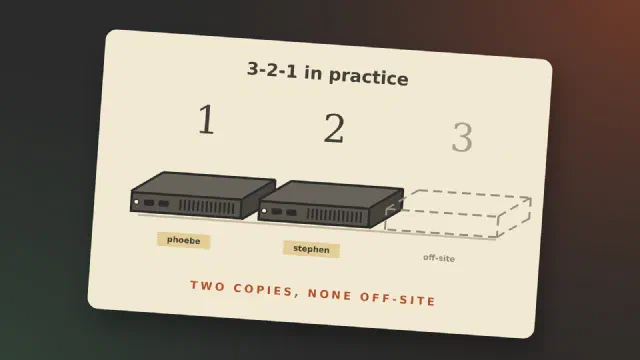
Most posts about backup explain the 3-2-1 rule and then show a setup that follows it. I can’t write that post yet. What I can do is go through the rule, hold my own homelab up against it, and show where it falls short today.
The 3-2-1 rule, briefly
Backblaze puts the rule in one sentence: “keep three copies of your data on two different media with one copy off-site” [1]. The three copies include the original, so it is the data you work on plus two more [1]. “Two different media” comes from the time of tape and CDs. Today Backblaze reads it as two different devices [1]. Off-site means a place that a fire, a burglary or a lightning strike at home doesn’t reach.
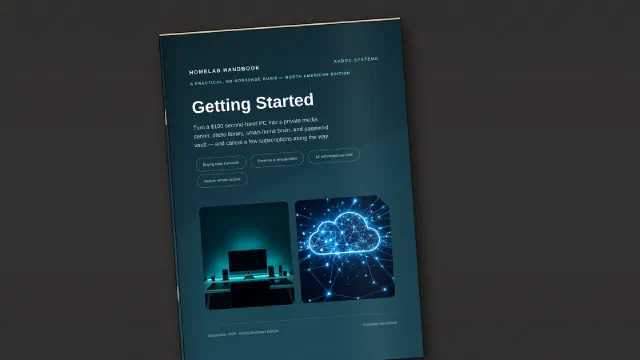
My first guide is out. Homelab Handbook: Getting Started is a
practical, no-nonsense handbook for turning an affordable used PC into
your first homelab, and it’s available now from the Kaddu Systems shop.
What it is and who it’s for
A homelab is simply a computer (or a few) that you run at home to host
services you’d otherwise pay someone else for, or hand your data to.
It can also be a playground where you can experiment and learn new skills, without affecting your production systems and important data.
Update, October 2026: my setup has changed since this post; the ML150 G6 is retired. See New Proxmox homeserver and the rest of the My home servers series.
It is time for taking stock of my servers. My setup has evolved a bit, but not as well planned as I would like it to have. I currently have 4 servers - 5 if you count my Linode/Akamai VPS but only one of them is actual dedicated server hardware.
I am preparing to start the 100 Days of Homelab challenge to educate myself into the different fields of computing that interests me and that will make a difference in my life, such as an improvement of quality of life, enhancing my career, generally sparking my imagination and creative side, and perhaps a mix of them all.
I am planning a reorganisation of my home network, the main goal is to restructure my network backbone and servers so that I can protect and run them in the best way possible. One of the things I would like to do is to setup my key network and my servers is to be supported by some kind of battery backup power system, with the possibility of boosting it with solar power so as to supplement prolong the time I can run them - a) during a power cut and b) with the current energy crisis and cost of energy in mind. Currently the only server I have running 24/7 is a Raspberry Pi that carries my Home Assistant and underneath that my Unifi controller.