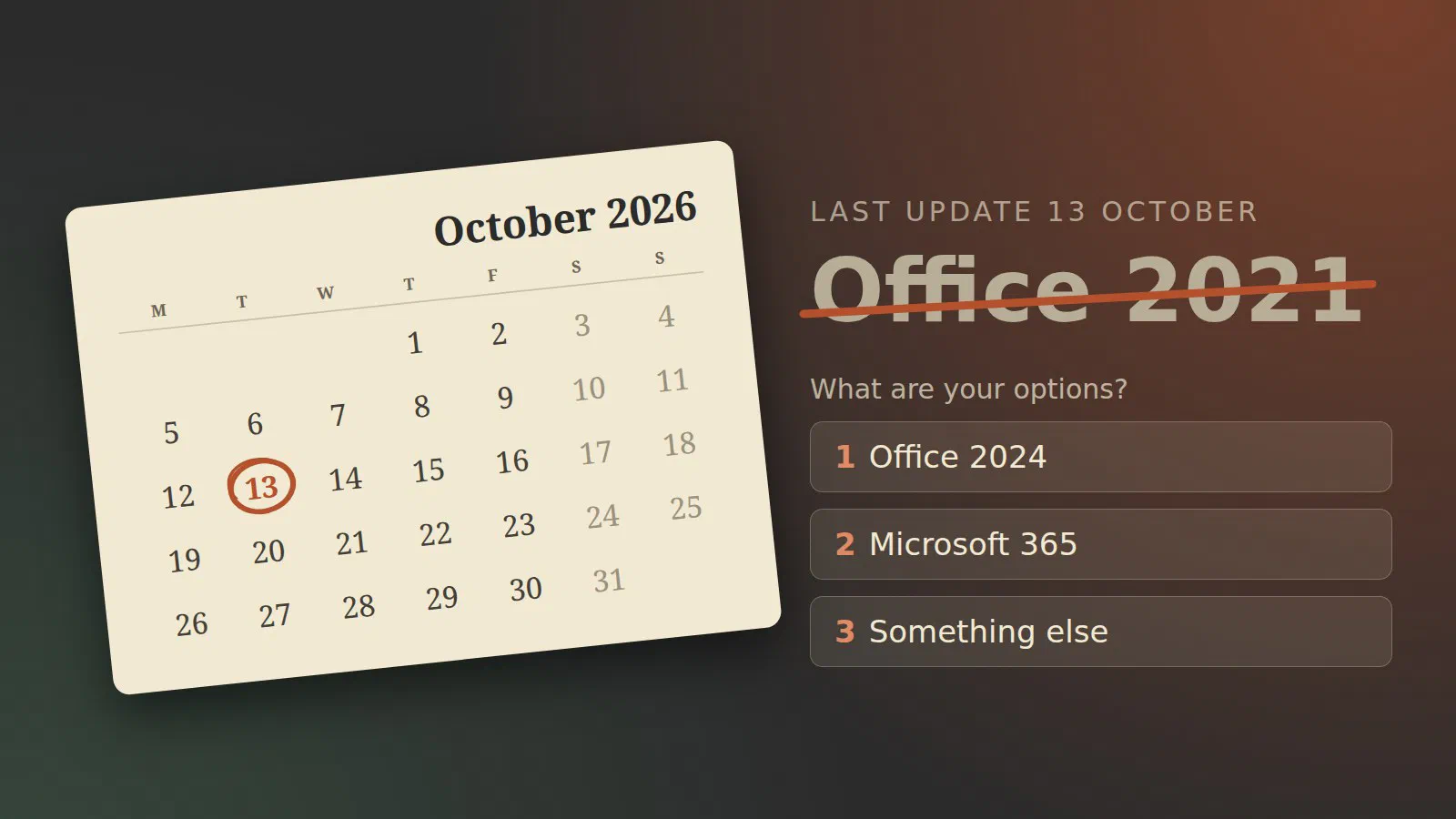
On Tuesday 13 October 2026, Office 2021 gets its last update. That goes for the version you bought in a shop and for Office LTSC 2021, the version organisations buy through volume licensing [1] [2]. Microsoft leaves no opening: “there will be no extension and no extended security updates” [1].
What end of support means
Word and Excel will start on 14 October exactly as they did the day before. “All of your Office 2021 apps may continue to function. However, you could expose yourself to serious and potentially harmful security risks.” [1]
What stops is the maintenance. Microsoft “will no longer provide technical support, bug fixes, or security fixes for Office 2021 vulnerabilities” [1]. Office opens files that come from other people, by email and from the web, and a prepared file is the usual way a hole in Office gets used. From now on, the holes that are found stay open.
I do not have or support any Office 2021 or Office LTSC 2021 installations, so this changes nothing for me personally. I do have something older: Office 2019, on a machine my wife uses for running PowerPoint slideshows when she does her public speaking. Office 2019 ran out of support a year ago, on 14 October 2025 [3]. That machine is offline when it is used for this, and it only opens her own presentations, so I have left it alone. It is the one situation where I am comfortable with an Office that no longer gets fixes. I come back to it below.
Option 1: an Office without a subscription
You can still buy Office once. There are two versions.
- Office 2024 is the current version you buy once. It comes as Home, and as Home & Business, for Windows and Mac, and it is supported until 9 October 2029 [4].
- Office LTSC 2024 is the same idea for organisations. Microsoft describes it as made for “highly regulated or restricted environments that can’t take feature updates”, sold through volume licensing [5]. It also ends on 9 October 2029 [6].
Both get five years, and there is no extended support after that [5]. The five years started in 2024, so buying Office 2024 today gives you three.
A few things to know before you buy:
- No new features. You get security fixes and nothing else, so there is no co-authoring in real time and none of the AI features [5].
- No Publisher. It is not in Office LTSC 2024, because Publisher itself is being retired this month [5] [7]. More on that below.
- Teams is not included, but can be downloaded separately [5].
- Office LTSC 2024 needs Windows 11 or one of the long-term Windows 10 editions. Ordinary Windows 10 is not on its list of supported systems [5].
Will there be an Office 2027? Microsoft has not announced one. Earlier it has said that there will be another on-premises release, without a name or a date [8]. I would not plan around it.
Option 2: Microsoft 365
The subscription is what Microsoft would like you to choose, and the end-of-support page for Office 2021 points straight at it [1]. You pay monthly or yearly, per person, and you always have the current version. For a business that already has Microsoft 365 for email, the Office apps are in most of the plans, so check what you are already paying for before buying anything.
The downside is that you never stop paying. Over five years a subscription costs more than a one-time licence, and for a PC that is used for letters and a household budget, that is hard to defend.
Option 3: something that isn’t Microsoft Office
If the Office you need is a word processor and a spreadsheet, LibreOffice does that, costs nothing, and opens and saves Word and Excel files. It is what I would put on a family PC before paying for Office again. Where it falls short is in documents with complicated layouts that go back and forth with people using Word, and in Excel workbooks with macros.
For most documents I use LibreOffice myself. I am also planning to run an office suite on our Nextcloud server. More about that in a future post in the Nextcloud series.
My own case: Office 2019 on a presentation PC
The PC with Office 2019 is where I do not use LibreOffice. In theory the slideshows could run from LibreOffice or something like it. But my wife makes them in Microsoft 365 on her Mac, and it is simpler to show them in a real PowerPoint on a Windows machine than to convert them and check that every slide still looks right.
What does PowerPoint 2019 lack? Compared with PowerPoint 2024, mostly things for recording and for accessibility: cameo, which puts your live camera picture on a slide, the Recording Studio for making a video of a presentation, and closed captions for video and audio [9]. None of that is needed to show finished slides on a projector. The thing to watch goes the other way: a presentation made in a current PowerPoint can use something the 2019 version does not know, so run through the slides on the old machine before the day.
I will wait and see whether we buy the successor to Office 2024 for that machine, if there is one, or whether it gets Microsoft 365.
If you use Publisher, do this first
Publisher is being retired at the same time, and it is more abrupt than the rest. For the version in Office 2021, support ends on 13 October along with everything else, and the program keeps working [7]. In Microsoft 365 it is already gone: “Microsoft 365 subscribers will not be able to access Publisher after October 1, 2026.” [7]
No other program opens .pub files well. So while you still have a
working Publisher, open the files you care about and save them as PDF.
Microsoft’s own advice is to do that, and to convert the PDF to Word if
you need to edit it later [7].
What I would do
- A home PC with Office 2021: nothing happens on the 13th, but decide before the end of the year. Buy Office 2024 if you want Word and Excel and no subscription; try LibreOffice first if you are not sure you need them.
- A small business: look at what your Microsoft 365 plan already includes. If the Office apps are in it, install those and retire the 2021 licences.
- Machines that cannot have feature updates (a production line, a lab instrument): Office LTSC 2024, and put October 2029 in the calendar now.
- A PC that is offline and only opens your own files, like our presentation PC: it can stay as it is. Once it starts opening other people’s files or goes online for daily use, it belongs in one of the groups above.
- Publisher files: save them as PDF this week.
Sources
- End of support for Office 2021 (Microsoft Support), pulled 2026-10-04
- Office LTSC 2021 lifecycle (Microsoft Learn), pulled 2026-10-04
- Microsoft Office 2019 lifecycle (Microsoft Learn), pulled 2026-10-08
- Office 2024 lifecycle (Microsoft Learn), pulled 2026-10-04
- Overview of Office LTSC 2024 (Microsoft Learn), pulled 2026-10-04
- Office LTSC 2024 lifecycle (Microsoft Learn), pulled 2026-10-04
- Microsoft Publisher will no longer be supported after October 2026 (Microsoft Support), pulled 2026-10-04
- Microsoft Office 2027: Release Date & What to Expect (software-supplies.co.uk), pulled 2026-10-04
- What’s new in PowerPoint 2024 for Windows and Mac (Microsoft Support), pulled 2026-10-08