Before the next Patch Tuesday, a look back at the last one. October’s update was the largest Microsoft has shipped, and a few of its problems only showed up afterwards. Then what we can say about tomorrow, which isn’t much, the release settings that change this month, and Copilot, which has changed more in six weeks than most products do in a year.
October, a month later
I updated the October post on the evening of the release. These came after that, or weren’t on the list that evening.
Enterprise Wi-Fi and 802.1X
This is the one to know about. Administrators report that after the October update, domain-joined Windows 11 PCs fail 802.1X authentication with PEAP, on Wi-Fi and on wired networks. The request never reaches the RADIUS server, and ordinary home-style Wi-Fi keeps working [1].
The likely cause, and the author of that report calls it “very likely,
not confirmed”, is a changed default. A setting named BlockNtlmv1SSO
goes from audit to enforce [1], which is part of Microsoft’s
long move away from old NTLM versions. Microsoft hasn’t listed it as a
known issue. It wasn’t on the known issues pages for Windows 11 when they
were last updated on 5 November [15], and the preview update
at the end of October doesn’t mention it [16]. So I wouldn’t
count on a fix tomorrow.
- Set
BlockNtlmv1SSOto 0 and restart. PEAP works again with the update installed, but one admin in the report said it “only bought us time”. - Uninstall the update. I would not. That also removes a fix for a flaw that is being used in attacks.
- Move from PEAP-MSCHAPv2 to certificate-based EAP-TLS. This is more work, and it is the only one of the three that lasts.
If your network uses PEAP, test this in your pilot group, and start planning the move away from it.
Two more known issues
Two entries reported on the October update’s known issues list weren’t in my post [3]:
- Smart App Control can’t be turned back on in Windows Security after it has been turned off.
- Remote Desktop fails for users who aren’t administrators, when they connect to a PC with Administrator protection turned on.
Both are fixed in the optional preview update from the end of October, KB5127936, and Microsoft’s own pages now say so [16] [15]. So they should be fixed for everyone on 10 November.
USB audio, the problem carried over from September, is not. It is still listed as a known issue in that preview [16]. If you have older USB headsets or conference speakers, keep one in the pilot group.
Exchange on your own servers
If you still run Exchange on your own servers, this one is for you. The October updates for Windows Server, not Exchange’s own update, limit how many Endpoint Mapper contexts Windows keeps at once to 512. A busy Exchange server reaches that limit, and then things start failing [22]:
- Outlook on the web (OWA) fails with
MapiExceptionMdbOffline. - Mail queues grow during the day until mail flow nearly stops.
- Servers in a database availability group (DAG) may lose quorum.
- A restart helps for a while, which makes it easy to blame something else.
It affects Exchange 2016, 2019 and Subscription Edition on Windows Server
2016 to 2025 [22]. Microsoft’s fix is a registry value, not
an uninstall: set EpmapSavedContextCap (DWORD) under
HKLM\SOFTWARE\Microsoft\Rpc to 65536 and restart. Don’t remove the
Windows update. Microsoft says “there is no imminent follow-up release”
[22], so don’t expect tomorrow’s update to fix it either. Put
the registry value in place before the November update goes on.
What the flaw being exploited does
The October post didn’t say how CVE-2026-96951 in Windows Shell works, because the source I had was unclear. Later reports say it gets around Mark of the Web [5], the flag Windows puts on downloaded files so that it can warn you before you open them. Microsoft still hasn’t said how it is being used [5]. If you have PCs that haven’t taken the October update, this is the reason to get on with it.
Tuesday 10 November
Microsoft doesn’t publish the list in advance. Sites that already list “November 2026” vulnerabilities look auto-generated, and I don’t use them. So here is what is known, and then my guess.
What we know
The preview update at the end of October gives away the rest of the Windows part. KB5127936 is optional, and its contents reach everyone on 10 November [6]. For an admin, these are the parts to note:
- Memory Integrity turns on by default on eligible PCs. Microsoft announced it in September, rolling out gradually through the monthly updates, and a PC where someone has turned it off stays off [17]. The preview says supported PCs “may now have memory integrity (HVCI) enabled during updates” [16]. It blocks malicious code from reaching the Windows kernel, but it can also slow a PC down, and old drivers can be incompatible with it. Have a look at your older hardware and your graphics-heavy users.
- Cloud Rebuild is a new recovery option that reinstalls Windows from an image and drivers from Windows Update [6]. The recovery environment can also use a saved Wi-Fi profile to download a recovery copy, which is on by default [7].
- Right-click menus in File Explorer can be customised [6], which will produce questions for your helpdesk.
- Always On VPN: the preview fixes connections that got stuck in “Connecting” after September’s update [4].
- Certificates: an out-of-band update on 26 October removed seven compromised root certificates from Windows’ list of trusted ones [18] [19]. Ivanti expects the October out-of-band fixes to be part of tomorrow’s update [18].
- Size: the offline installer in the Update Catalog is about 5 GB, against under 2 GB through Windows Update [7]. If you distribute the file yourself, check your bandwidth and your disk space.
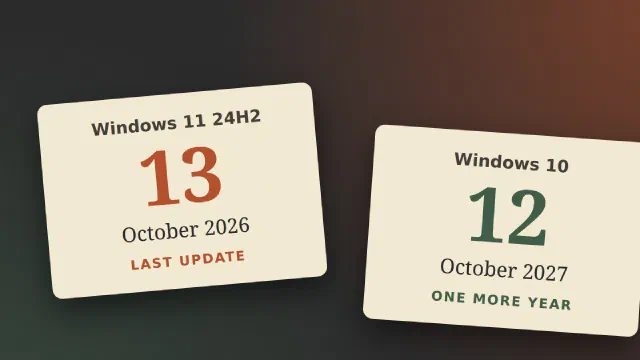
Windows 11 24H2 Home and Pro get none of it. They had their last update in October, as did Office 2021.
Tomorrow is also the last update for two more things:
- Windows 11 23H2 Enterprise and Education. After this, no more security updates. Move those PCs to 25H2 or 26H2 [20].
- .NET 8 and .NET 9. Both reach end of support on 10 November [21]. .NET 8 was the long-term version, so check your servers and line-of-business apps, not just the PCs.
My guess
This is a guess and nothing more. I expect another large number. October’s total was explained by Microsoft using AI tools to find flaws in its own products [8], and that work doesn’t stop after one month. I wouldn’t expect a new record every time, but I also don’t expect a return to the old level of around a hundred.
Outside Microsoft, Ivanti expects updates from Adobe, Google Chrome and Firefox in the same week [18].
So plan for large releases as the normal case: a pilot group that is actually used, and a short, fixed time until everyone else gets the update. The arguments are in the post on ring deployment.
Also this month: two settings that stop working
MemberOf rules in Entra ID
The preview MemberOf rule operator retires from early November, with
3 November as the date to act by. Dynamic groups, dynamic administrative
units and access package auto-assignment policies that use it don’t
break visibly. They stop updating, and membership stays frozen as it was
[9]. That is worse than an error, because nobody gets told:
a new employee quietly doesn’t get access, and someone who has left the
team quietly keeps it.
If you haven’t checked, do it this week. Replace the rule, or convert the group to assigned membership [9]. The message about it isn’t in my own tenant’s Message center, so don’t wait for it to show up in yours.
Targeted release
In November you can no longer add or remove users from Targeted release. It retires for good in January 2027 [10]. Three options replace it: Frontier (early access before general availability), Standard release (the default) and Deferred release (about 30 days later) [10].
If nothing is done, those users move to your standard preference in January [10]. The real loss is if your Targeted release users were your early warning group. Microsoft’s suggested replacement is Deferred release for the organisation, with your pilot users assigned to Standard [10], so they still see changes about a month before everyone else.
Update channels for the Office apps and for Windows aren’t part of this [10].
My own tenant still shows the old three choices on 9 November: Standard release, which is what I use, Targeted release for everyone, and Targeted release for selected users.
What is happening with Copilot
A lot, and not on one timetable. On 25 September Microsoft announced a new Copilot, and the Message center posts that followed are where the work for admins is.
A new app, in three parts
- Home brings Chat and Cowork together as the new starting point [11].
- Code builds small apps, trackers and automations from a description, on the same technology as GitHub Copilot [11].
- Autopilot, previously called Scout, is an agent that keeps working without waiting to be asked [11]. It went to private preview in September, and when Microsoft last updated its message on 4 November the rollout still had no date [12].
Full editing in Word, Excel and PowerPoint is also moving into the Copilot app, and Plugins replace the separate entry point for Agents [12]. Your users’ screens will look different, and your screenshots in the internal guide will be wrong.
Billing is the real change
Until now, a Copilot licence meant a fixed price per user. That stays for what Microsoft calls everyday AI. Advanced models, and using more once a limit is reached, can now cost Copilot Credits on top [13]. Cowork, Code and Autopilot run on this usage-based billing [11].
The good news is that in enterprise tenants it costs nothing until an admin creates a spending policy: it is “not enabled or functional” before that [13]. This is what I would look at:
- Users see it anyway. The entry points for Cowork, Code and Autopilot are visible by default to licensed users, and those without a spending policy get a request-access message [12]. Expect requests.
- The setting to hide it is being removed. “Allow users to discover and use AI experiences enabled by usage-based billing” goes away. The new setting chooses between Request Access and Learn More [12], so you can decide what users see, but not make it disappear.
- Decide before the requests arrive. Who may spend, how much, and on which models? Spending policies can set models and effort levels per group [13], under Copilot > Cost management in the admin center.
- Researcher and Analyst are no longer pinned by default [12]. Pin them in the admin center if people rely on them.
The agents your users have already built can change billing too. I saw this at work last week. A colleague’s agents, built in a Teams environment, stopped running. After I upgraded the environment to a full Dataverse environment they worked again, but the admin center now lists them as built on the “GitHub Copilot” harness. That makes a difference to the bill. Agents built with Copilot Studio for Teams cost nothing, whoever uses them [24]. Agents on the GitHub Copilot harness are billed for all use, building and testing included, “regardless of the user’s license” [23]. Before you upgrade an environment, check the Harness column under Manage > Copilot Studio in the Power Platform admin center, and give each agent a monthly limit with Stop usage turned on [23].
Dates worth having
- 1 November: SharePoint PowerShell opt-outs for Copilot stopped being honoured, and SharePoint’s site AI settings now control access [12]. If you opted sites out that way, check that they are still out.
- November: the new entry points and request-access screens reach tenants on Deferred release [12].
- Before year end: usage-based billing rolls out in the fourth quarter [13], and Code goes to preview for Microsoft 365 Premium and Pro subscribers “later this year” [11].
- 17-20 November: Microsoft Ignite in San Francisco [14]. Microsoft hasn’t said what it will announce there. Third-party previews guess at Autopilot becoming generally available, but that is a guess, and I would plan nothing around it. Expect some of the above to move.
What my own tenant shows
I checked my own admin center on 9 November:
- The Copilot app shows Chat, Cowork and Code. No Autopilot yet.
- The old setting is gone. “Allow users to discover and use AI experiences enabled by usage-based billing” isn’t there. Instead there is a Get started button for “Unlock AI experiences enabled by usage-based billing”. That fits the rule that nothing costs money until an admin sets it up [13].
- The Message center has both Copilot messages [12] [13], each updated as recently as 4 November. If yours doesn’t, search for them by number.
Not all of this will reach a small business soon. The billing questions will, as soon as one person presses Request Access.
The checklist
- PEAP on Wi-Fi or wired: test October’s update, and decide on
BlockNtlmv1SSO. Plan EAP-TLS. - Entra ID: find
MemberOfrules in dynamic groups, administrative units and auto-assignment policies. Replace them now. - Targeted release: move your pilot users to the new preferences.
- November’s update: pilot group first, with an old PC and a USB audio device in it, because of Memory Integrity and the audio problem.
- Copilot: decide who may use credits, choose Request Access or Learn More, and set up spending policies if you want any of it.
- SharePoint: check sites you opted out of Copilot with PowerShell.
Sources
- KB5127648 802.1X PEAP Wi-Fi broken on Windows 11: cause and fix (Thomas Marcussen), pulled 2026-11-02
- Windows 11 KB5127648 breaks WPA 802.1X PEAP Wi-Fi auth, but there’s a manual fix (Neowin), search summary pulled 2026-11-02, compared with KB5127648 Breaks PEAP Wi-Fi and 802.1X Authentication (Keytos)
- Windows 11 KB5127648: known issues (Windows Report), search summary pulled 2026-11-02
- Windows 11 KB5127936 preview update for versions 26H2 and 25H2 (Prajwal Desai), pulled 2026-11-02
- October 2026 Microsoft Patch Tuesday (Tenable), and Microsoft drops an actively exploited zero-day (CyberScoop), search summaries pulled 2026-11-02
- Microsoft ships the Week D preview updates for Windows 11 (Thurrott), pulled 2026-11-02
- Windows 11 KB5127936 out with big changes (Windows Latest), pulled 2026-11-02
- Microsoft October 2026 Patch Tuesday fixes 1,411 flaws, 3 zero-days (BleepingComputer), pulled 2026-10-13
- MC1448379: MemberOf rule operator retirement (Microsoft 365 message center, via mc.merill.net), pulled 2026-11-02
- Plan for the retirement of Targeted release in Microsoft 365 (Microsoft Learn), pulled 2026-11-02
- Introducing the new Copilot with Home, Code and Autopilot (Microsoft), pulled 2026-11-02
- MC1479277: New ways to work across Microsoft Copilot and Microsoft 365 (via mc.merill.net), pulled 2026-11-02
- MC1479276: Copilot usage-based billing (via mc.merill.net), pulled 2026-11-02
- Microsoft events, pulled 2026-11-02
- Windows 11, version 25H2 known issues and notifications (Microsoft Learn), and the same for 24H2, both updated 2026-11-05, pulled 2026-11-09
- October 28, 2026, KB5127936 preview (Microsoft Support), pulled 2026-11-09
- MC1465669: Expanding memory integrity protection across Windows devices (via mc.merill.net), pulled 2026-11-09
- November 2026 Patch Tuesday forecast (Todd Schell, Ivanti, in Help Net Security), pulled 2026-11-09
- Microsoft releases out-of-band Windows fixes with certificate updates (The Register), search summary, pulled 2026-11-09
- Microsoft: Windows 11 23H2 reaches end of support in 30 days (BleepingComputer), search summary, pulled 2026-11-09
- .NET 8 and .NET 9 will reach End of Support on November 10, 2026 (.NET Blog), search summary, pulled 2026-11-09
- Exchange servers may become unstable after installation of October 2026 Windows updates (Microsoft Exchange Team Blog), published 2026-10-16, updated 2026-10-20, pulled 2026-11-09
- Manage costs for agents powered by the GitHub Copilot harness (Microsoft Learn), updated 2026-10-29, pulled 2026-11-09
- FAQ for Copilot Studio billing and licensing (Microsoft Learn), updated 2026-10-20, pulled 2026-11-09