MD-102 Endpoint Administrator replaces MD-100 + MD-101
As Microsoft has been moving away from on-prem tools like SCCM and Domain Controllers to cloud they introduced a new exam to reflect this change towards the cloud and tools like Intune, Entra, and Autopilot. And for the new Endpoint Manager that also meant a new certification to replace the old MD-100 Windows Client, and MD-101 Managing Modern Desktops.
As a budding Systems Administrator, MD-102 Endpoint Administrator is a good way of learning about modern Endpoint Management and protection, as well as document my knowledge. But how much of the old ways should I also learn?
A lot of larger, old installations have transitioned to a hybrid model, using a mix of the “old” paradigm, like on-prem Domain Controllers, SCCM (System Center Configuration Manager) - now Microsoft Configuration Manager, Fileservers, Sharepoint, Teams, and Exchange servers with the online versions.
Pros of Online vs On-Prem and Hybrid
I am currently working in a 100% cloud organisation. No fileservers, just SharePoint Online, no Domain Controllers, just Microsoft Entra ID, and no Teams or Exchange server, just Teams Online and Exchange Online.
The features of this approach is that we do not have servers, that we need to keep up to date with patches of the Operation System (OS) or the Server software itself. We do not need to keep up with new hardware as we expand our customer and staff bases, or replace aging servers. As we are a multi continent operation, we do not need to interconnect our offices in order for our staff to access mail, files, and collaboration tools. We are not even critically dependant on an internal network, as our staff - in case of an internet outage - can use their mobile phones as internet hotspots, and we can even have staff in countries, where we have no office. All of this would be a lot harder, if we had on-prem servers, that staff and customers had to connect to. Now they just have to have an internet connection, and they can access all tools and information.
The features of running your own servers on-prem is of course that you control where the data is, who has access to it and when. You cannot get locked out because the internet is down. You cannot get canceled by your service provider, because you did something, that a foreign countrys head of state did not like. Or because the service provider got caught out in some other way. And by keeping your most important and secret data on a very secured data network, cut off from public access, it is a lot harder for someone to destroy or steal it.
The organisation I am in is not likely to change course and go on-prem. Actually all of our Customer compute is in the cloud - that is where we sell our services from. But in order to broaden my knowledge and making myself more marketable, learning the updated version of the Hybrid environments will do me good, will be of value to me in the future. But how much should energy and time should i put into it? after all, there is little to no questions in the MD-102 certification exam about SCCM, Exchange Server, or Windows Terminal Server.
The training, I have access to has some of this old technology in focus and as part of the Syllabus, so I am going to soak up as much as I can, without getting to bogged down into details. I will try to document the old ways - mostly to better understand and remember how to navigate hybrid and on-prem environments.
Three versions of MD-102
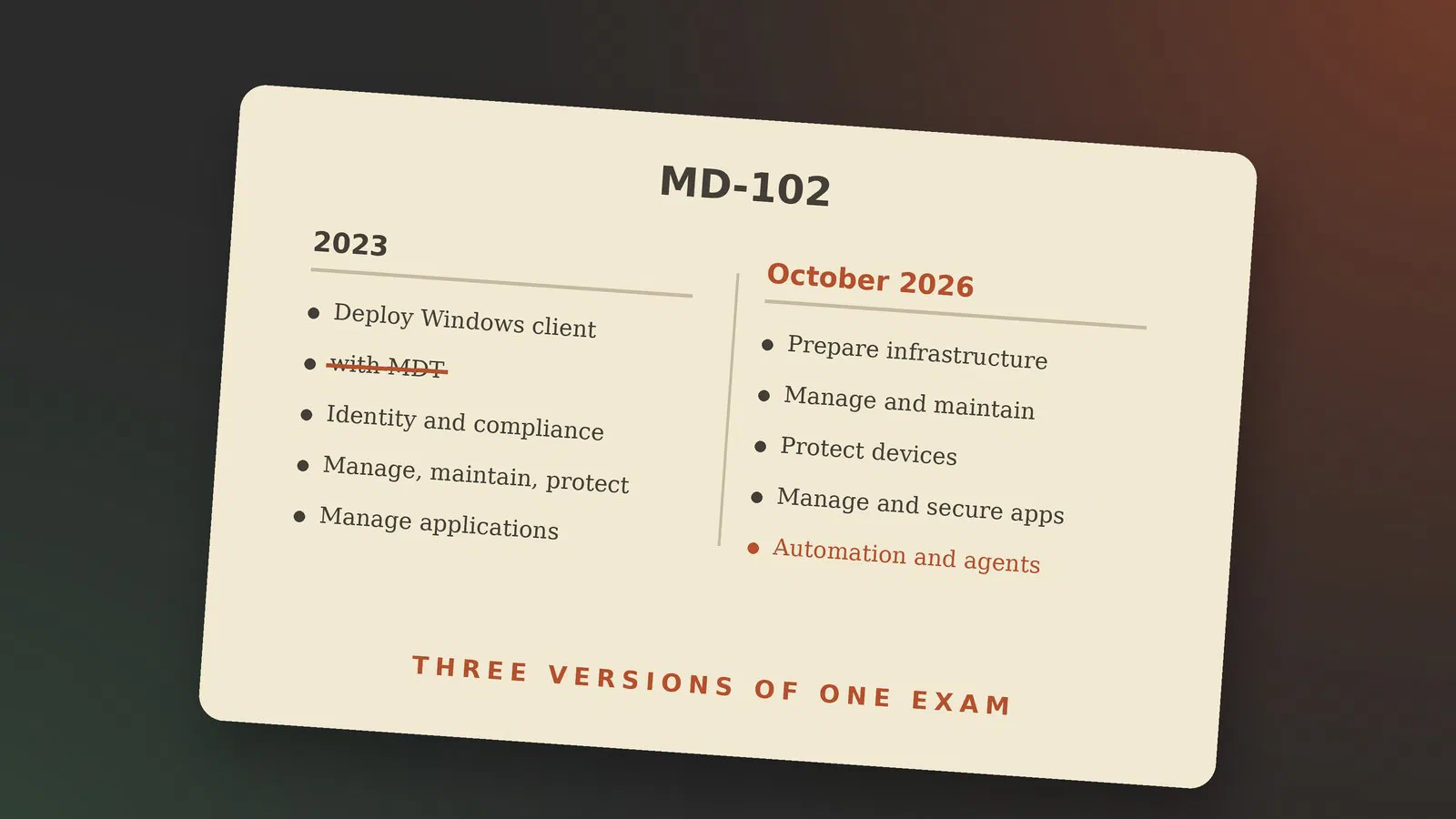
MD-102 hasn’t stood still since it replaced MD-100 and MD-101 in 2023. Looking at the skills Microsoft measures, there are three versions of the exam worth comparing: the first one, which still had the on-prem deployment tools, the big rewrite of July 2026, and a smaller update on 27 October 2026 [1] [3].
| First MD-102 (2023, still so in January 2024) | Since 24 July 2026 | From 27 October 2026 | |
|---|---|---|---|
| Exam title | Endpoint Administrator | Managing and Securing Microsoft 365 Endpoints by using Intune | Unchanged |
| Domains | 4 | 5 | 5, same weights |
| Deployment | Deploy Windows client (25–30 %), including MDT | Part of Manage and maintain devices (25–30 %), by using cloud-based tools | Minor changes |
| Identity and compliance | Manage identity and compliance (15–20 %) | Part of Prepare infrastructure for devices (20–25 %) | Enrollment: minor changes |
| Devices | Manage, maintain and protect devices (40–45 %) | Manage and maintain devices (25–30 %) + Protect devices (15–20 %) | Configuration profiles, Intune Suite add-ons and remote actions: minor changes |
| Apps | Manage applications (10–15 %) | Manage and secure applications (15–20 %) | Deploy and update apps: minor changes |
| Automation | – | Optimize endpoint operations by using automation, monitoring and reporting (10–15 %), with Security Copilot agents | Monitor and optimize health: minor changes |
The first version: on-prem tools still on the syllabus (2023)
When MD-102 replaced MD-100 (Windows Client) and MD-101 (Managing Modern Desktops), it kept a lot of the old world [4] [5]. As late as January 2024 the skills list still had a whole section on deploying Windows with the Microsoft Deployment Toolkit (MDT): building the MDT infrastructure, creating and deploying images, and migrating user state. Next to it were Remote Desktop, Windows Admin Center, PowerShell remoting and WinRM, and Group Policy for Office. Autopilot was already there, but as one option among several [3].
The big rewrite: cloud tools and agents (24 July 2026)
The English exam was updated on 24 July 2026 [2], and this is where most of the change happened. The exam got a new title, Managing and Securing Microsoft 365 Endpoints by using Intune, and a fifth domain on automation, monitoring and reporting [6].
Deployment is now “Deploy and upgrade Windows clients by using cloud-based tools”. WinPE, the ADK, WSIM, WDS, MDT, Configuration Manager and USMT aren’t mentioned at all [7]. In their place: Autopilot deployment profiles and device preparation policies, Windows 365 Cloud PCs, and Windows Backup, all managed through Intune [1].
The audience profile changed with it. A candidate now manages devices “by using Microsoft Intune and agentic tools and workflows”, and “should also have an understanding of Microsoft Security Copilot, Intune agents, and Microsoft Defender XDR” [2]. The new fifth domain is where that shows: automating Intune with PowerShell and Microsoft Graph, investigating threats and analysing device performance with Security Copilot agents in Intune, acting on their recommendations, and reporting, Endpoint Analytics and remediation scripts [1] [6].
The October update: smaller changes (27 October 2026)
On 27 October 2026 the English version changes again [2]. This time Microsoft calls every change minor. The five domains, their weights and the audience profile stay the same; the change log marks seven skill groups as having minor changes: enrollment, Windows deployment, device configuration profiles, the Intune Suite add-ons, remote actions, deploying and updating apps, and monitoring health [1].
The study guide doesn’t say what changed inside each group, only that they changed. Skills on the October list worth knowing about include multi-admin approval and scoped administration, device queries in KQL, Microsoft Cloud PKI, Endpoint Privilege Management, Microsoft Tunnel for MAM, Intune Advanced Analytics, and Windows Autopatch with Hotpatch policies [1].
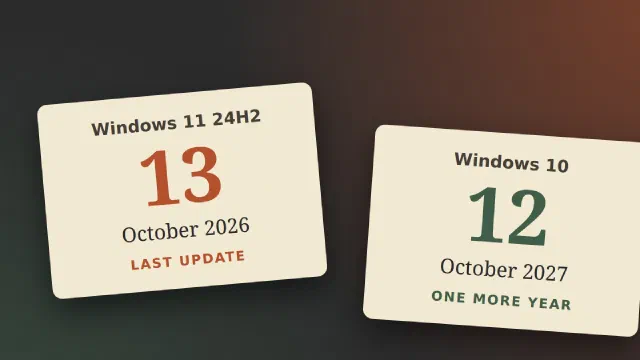
If you’re booking the exam, check which side of 27 October your date falls on. The English version changes first, and the localized versions follow about eight weeks later [1]. MD-102 is offered in English, Chinese, German, Spanish, French, Japanese and Brazilian Portuguese [2].
What this means for me
I’m not taking the exam before 27 October, so the version I’ll meet is the October one. There’s no Danish version, so I take it in English, and the English version is the one that changes on the day. That makes the October skills list my checklist, and the agents, Graph and KQL part of what I need to know, not a side note.
None of the three versions asks about the old deployment tools any more, and the last one that did was gone by July. I still want to know them, because the training I have access to covers them, and because the hybrid organisations I might work for still use them.
Sources
- Study guide for Exam MD-102 (Microsoft Learn): skills measured as of 27 October 2026, and the change log from the July version, pulled 2026-10-19
- Microsoft 365 Certified: Endpoint Administrator Associate (Microsoft Learn): last updated 24 July 2026, the notice of the 27 October update, audience profile, languages, pulled 2026-10-19
- MD-102 study guide as of 30 January 2024 (Wayback Machine): the first-generation MD-102, four domains, and still a section on the Microsoft Deployment Toolkit (MDT) and user state migration, pulled 2026-09-26
- Exam MD-100: Windows Client, March 2023 (Wayback Machine): the old Windows Client exam, and the renaming to Endpoint Administrator Associate in May 2023, pulled 2026-09-26
- Exam MD-101: Managing Modern Desktops, March 2023 (Wayback Machine): the old modern-management exam, whose audience profile already focused on cloud rather than on-premises tools, pulled 2026-09-26
- MD-102 exam changes July 2026: the new fifth domain (CertCrush): the 24 July 2026 update, new title and five domains, published 2026-08-27, pulled 2026-10-19
- Own notes:
microsoft-certifications/md-102/notes/00-exam-overview.md(private repo): the legacy WinPE/ADK/WSIM/USMT side, checked against the July 2026 study guide on 2026-09-01