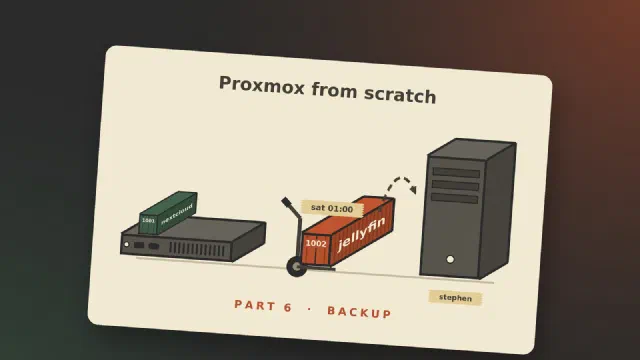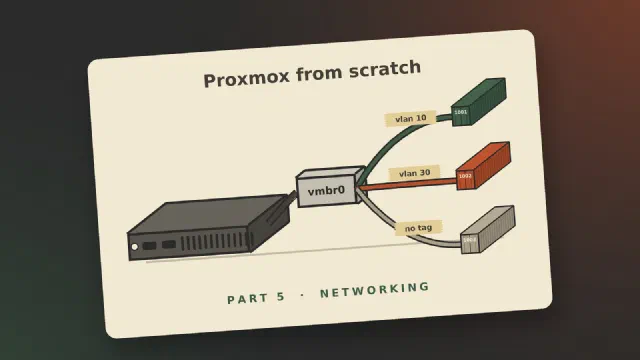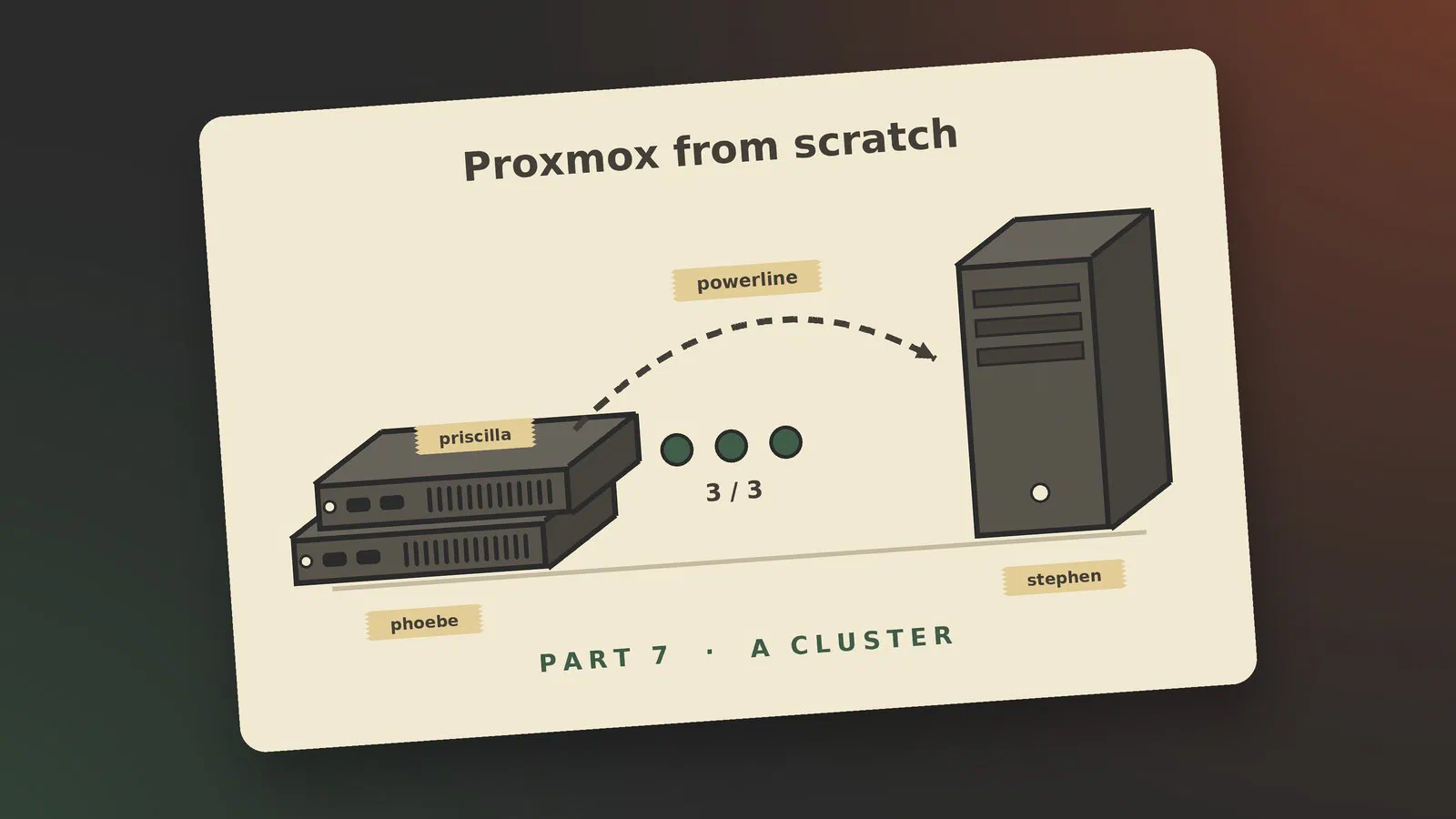
This is the seventh part of Proxmox from scratch, and the one the series has been heading for. Up to now my three Proxmox servers have each run on their own, with their own web interface and their own settings. In this part they become one cluster.
The three are the ones from My hypervisors in 2026. phoebe is a Lenovo Tiny with a Ryzen 5 PRO and runs Nextcloud and Jellyfin. priscilla is the older Tiny with a 7th-generation i5, the machine this series was written on, and the standby. stephen is a tower in the garage office that holds the backups. The two Tinys sit on top of the switch in the house. stephen is in another building, at the other end of a PowerLine link, and that turned out to be the most interesting part of the whole build.
Why a cluster
A Proxmox cluster is a group of servers that share their configuration. Proxmox keeps the settings of the whole cluster in /etc/pve, and in a cluster that folder is the same on every node: change something on one, and the others have it too [1]. That gives three things I want:
- One web interface for all of them. Log in on any node and you see and manage all three.
- Moving guests between the nodes. I can empty phoebe onto priscilla before an update, reboot phoebe, and move everything back. That is the standby role priscilla was set up for.
- Replication. ZFS disks can be copied to another node on a schedule, so a guest’s disk is already there when it needs to move [4].
Just as important is what a cluster is not. It is not shared storage: each node still has its own disks, and a guest’s disk is on one of them. And it is not automatic failover. If phoebe dies, Nextcloud doesn’t start on priscilla by itself. That is high availability, which is a step further, and the end of this post says why I’m not taking it.
A cluster also asks something back. The nodes vote on every change, and “the cluster switches to read-only mode if it loses quorum” [1]. More on that below.
Why not Ceph
Ceph is the big one. It spreads the data over the disks of several servers, keeps copies on more than one of them, and carries on when a disk or a whole server fails. Proxmox can run it on the same servers as the guests, which it calls hyper-converged. To guests it looks like shared storage, without a NAS.
It is also the one I would leave alone at home, and the requirements say why. You “must use at least three (preferably) identical servers” [2]. Proxmox recommends “a network bandwidth of at least 10 Gbps, or more” used for Ceph alone [2], and to “configure OSDs with at least 8 GiB of memory for good performance” [2], where an OSD is one disk in Ceph. A full recommendation is “a Ceph cluster with at least three nodes and at least 12 OSDs, evenly distributed among the nodes” [2].
My cluster has three servers, so on paper the first rule is met. But they are two one-litre PCs with one network port each, and a tower in the garage office at the other end of a PowerLine link that carries 25 to 30 Mbit/s. Ceph over that would be slow, and it would take memory the guests need. ZFS on each server, with replication between them, gives me most of what I want at home for a fraction of the effort.
Before you start
The Cluster Manager page in the Proxmox documentation lists the requirements [1]. Most of them are quick to check. Two of them, the network and the names, took me most of the preparation.
The same Proxmox version on every node
The nodes in a cluster should run the same version of Proxmox VE. Mine didn’t: phoebe had been updated more recently than the other two, and priscilla still showed 9.2.21.
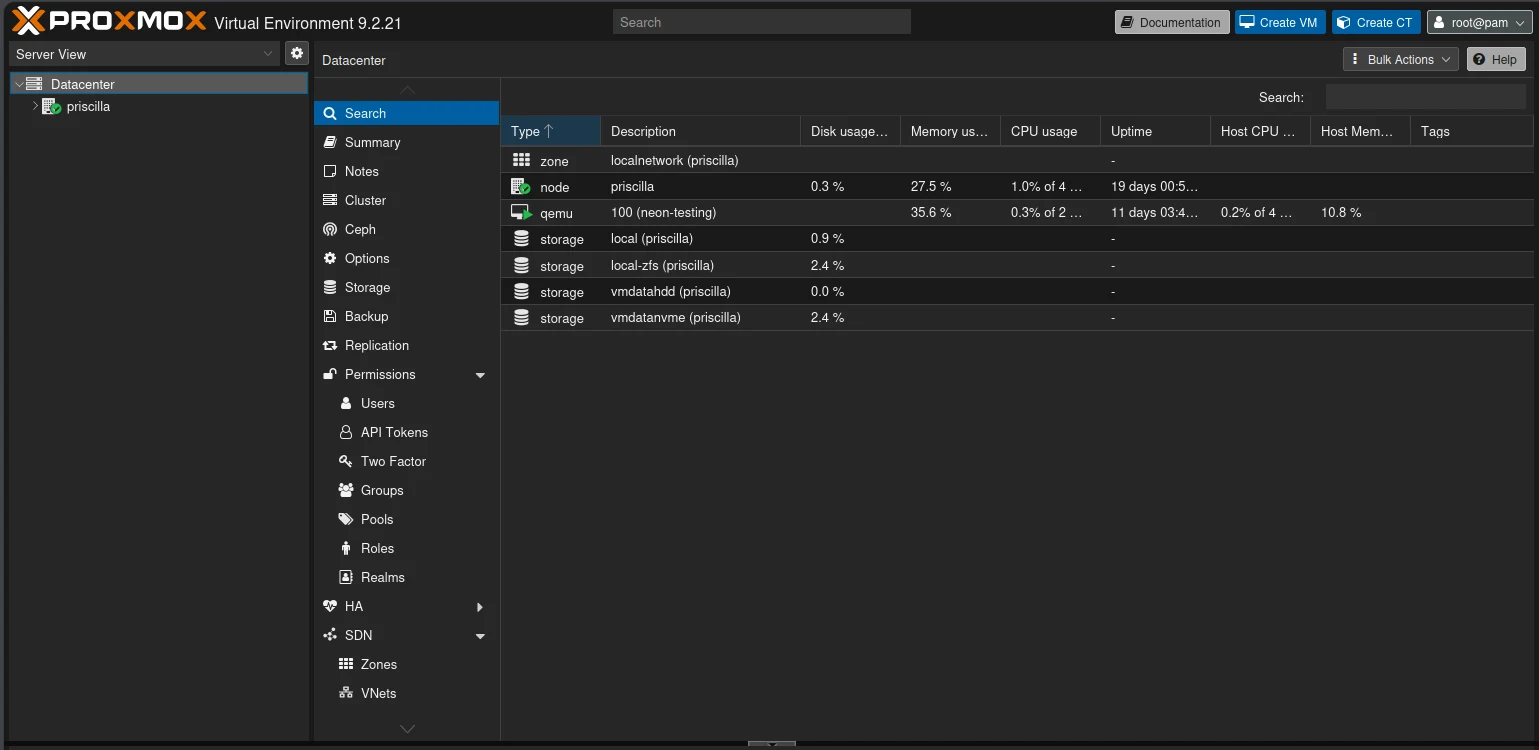
On each node, in the web interface, go to Updates and press
Refresh. That runs apt-get update and fetches the lists of what’s
new, from Debian and from Proxmox’s repository.
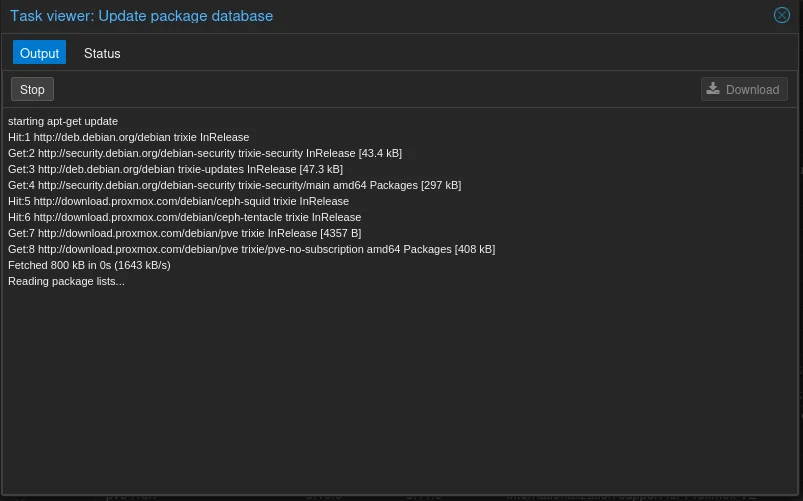
The list then shows every package with a newer version waiting: five from Debian and 22 from Proxmox on priscilla, among them a new kernel.
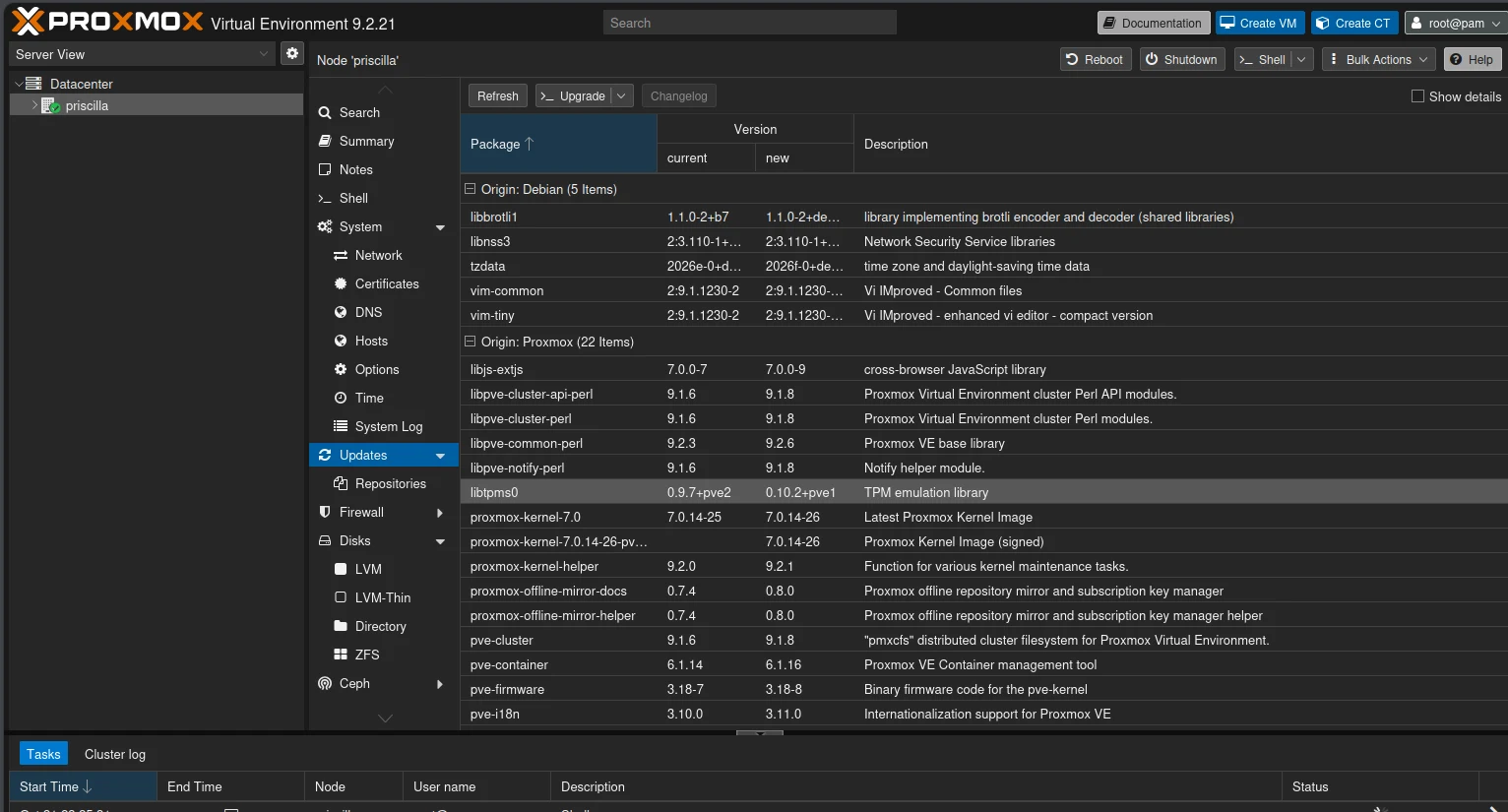
Upgrade opens a console that runs apt-get dist-upgrade. It lists what
it will do and asks before it starts: 26 packages upgraded, one new, 388 MB
to download.
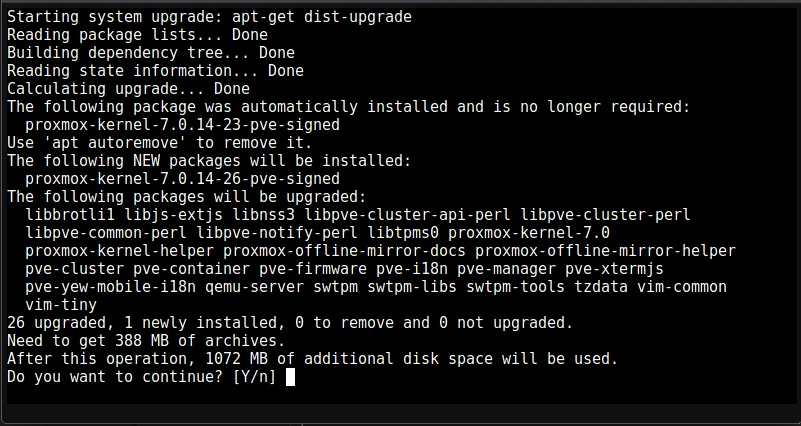
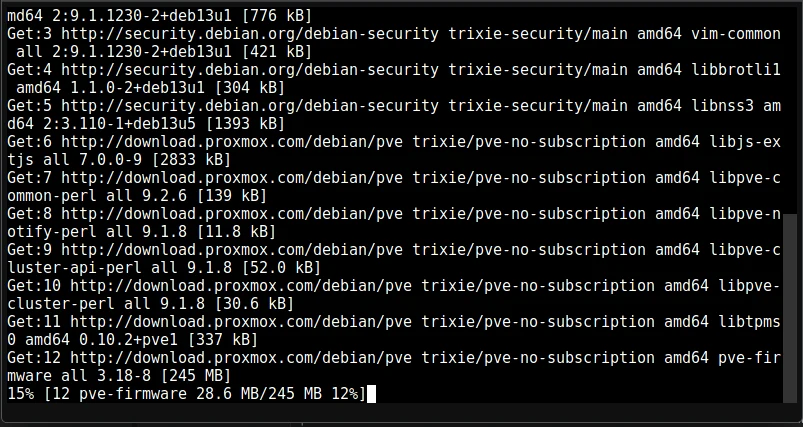
When it’s done, it says so, and since a new kernel came along, it asks for a reboot to use it.
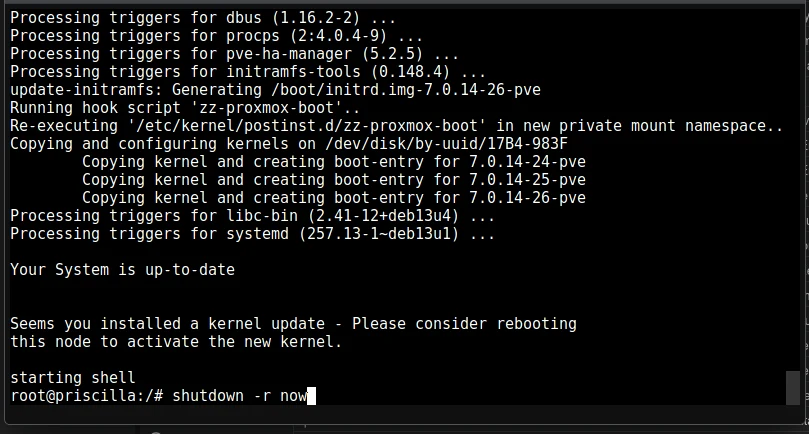
On phoebe I did the same from the node’s Shell, with apt update and
apt dist-upgrade, which is all the button does.
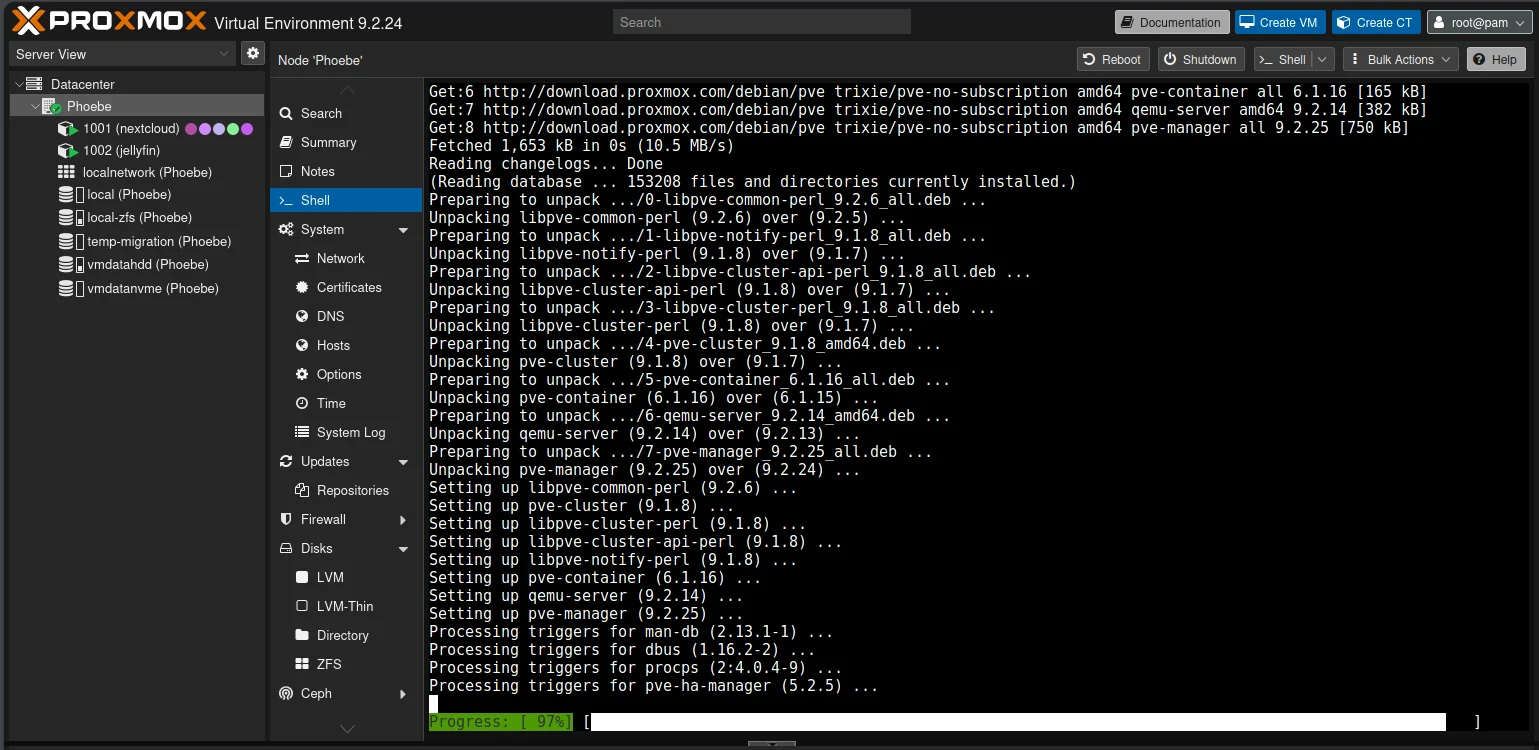
After a reboot of each, all three run Proxmox VE 9.2.25 on the same kernel, 7.0.14-26. A reboot of phoebe takes Nextcloud and Jellyfin down for a few minutes. Once the cluster exists, that is what it helps with: move the guests to priscilla first. Containers can’t move while running, so they restart on the way, but that’s seconds instead of the whole update.
The network
The nodes talk to each other with corosync, the program that keeps the cluster together. The documentation’s requirements for it are short: the nodes must reach each other on UDP ports 5405 to 5412, there must be “an SSH tunnel on TCP port 22 between nodes”, and the clocks must agree: “Date and time must be synchronized.” [1] Proxmox keeps the clock in sync out of the box. timedatectl on each node should say System clock synchronized: yes.
The harder part is the quality of the network. Corosync “requires a reliable network with latencies under 5 milliseconds (LAN performance) between all nodes to operate stably”, and it is “sensitive to latency jitters” [1]. It needs very little bandwidth. What it needs is answers that come back fast, every time.
The two Tinys are on the same switch, so between them that is no question. stephen is not. It is in the garage office, and the only connection is a pair of PowerLine adapters, which send the network over the mains wiring. PowerLine has a reputation for being uneven, so before deciding anything I measured. From phoebe, a thousand pings to stephen, five a second:
ping -c 1000 -i 0.2 stephenThe summary at the end:
1000 packets transmitted, 1000 received, 0% packet loss
rtt min/avg/max/mdev = 1.436/1.911/7.816/0.609 ms
No lost packets, an average of 1.9 ms, and an mdev (how much the times vary) of 0.6 ms. One answer took 7.8 ms, over the limit, but one in a thousand is a spike and not a pattern. So the link that is far too slow for Ceph, 25 to 30 Mbit/s when the backups run over it, is good enough for corosync, which only needs it to be quick and steady. I would still measure again at a busy time of day, and if you have PowerLine yourself, measure yours: they vary a lot with the wiring.
Proxmox also recommends “a dedicated physical NIC for the cluster traffic” [1], a network port that carries only corosync. That is the part I can’t do yet. A Lenovo Tiny has one network port, so corosync shares it with everything else, including the backups to stephen, which fill the PowerLine link while they run. A cluster can have up to eight links, used as fallbacks for each other [1], so a second network is something I can add later. Both Tinys have an M.2 slot meant for Wi-Fi, and a 2.5 Gbit network card in that slot is on my list. For now, one link it is.
Names that can’t change later
“Changing the hostname and IP is not possible after cluster creation.” [1] So every node needs a fixed IP address, and the name it will keep. Mine have fixed addresses from the start. In the web interface, the join uses the address “resolved via the node’s hostname” by default [1], so check that /etc/hosts on each node has the node’s name with its real address, not an old one.
The names needed one fix. phoebe had been installed as Phoebe, with a capital P, and the other two were lowercase. It’s harmless on a single server, but the name ends up in paths like /etc/pve/nodes/Phoebe/, and I didn’t want to carry it into a cluster where it can’t be changed.
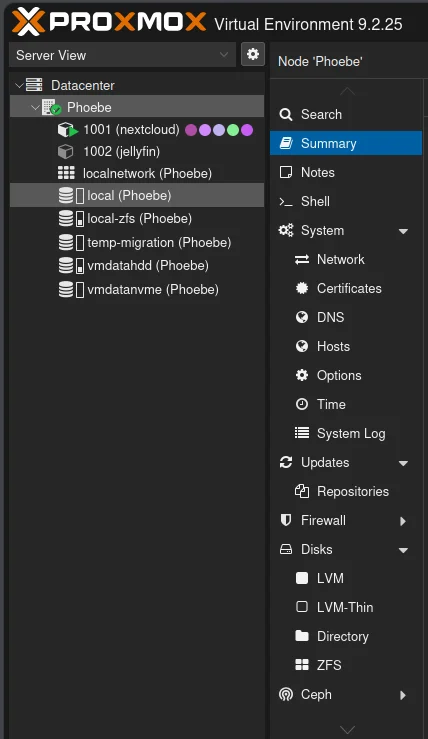
Renaming a standalone node is possible, just not a button. What I did on phoebe, in short: set the new name with hostnamectl set-hostname phoebe, change it in /etc/hosts and in postfix’s myhostname, restart Proxmox’s services (pve-cluster, pvedaemon, pveproxy, pvestatd), move the guests’ configuration files from /etc/pve/nodes/Phoebe/ to /etc/pve/nodes/phoebe/, and make new certificates with pvecm updatecerts --force. It worked without a reboot, and the guests kept running. One thing to know if you do it from the web interface’s Shell, like I did: every restart of pveproxy drops the Shell, so put the restarts last and run the checks after a reload of the page.
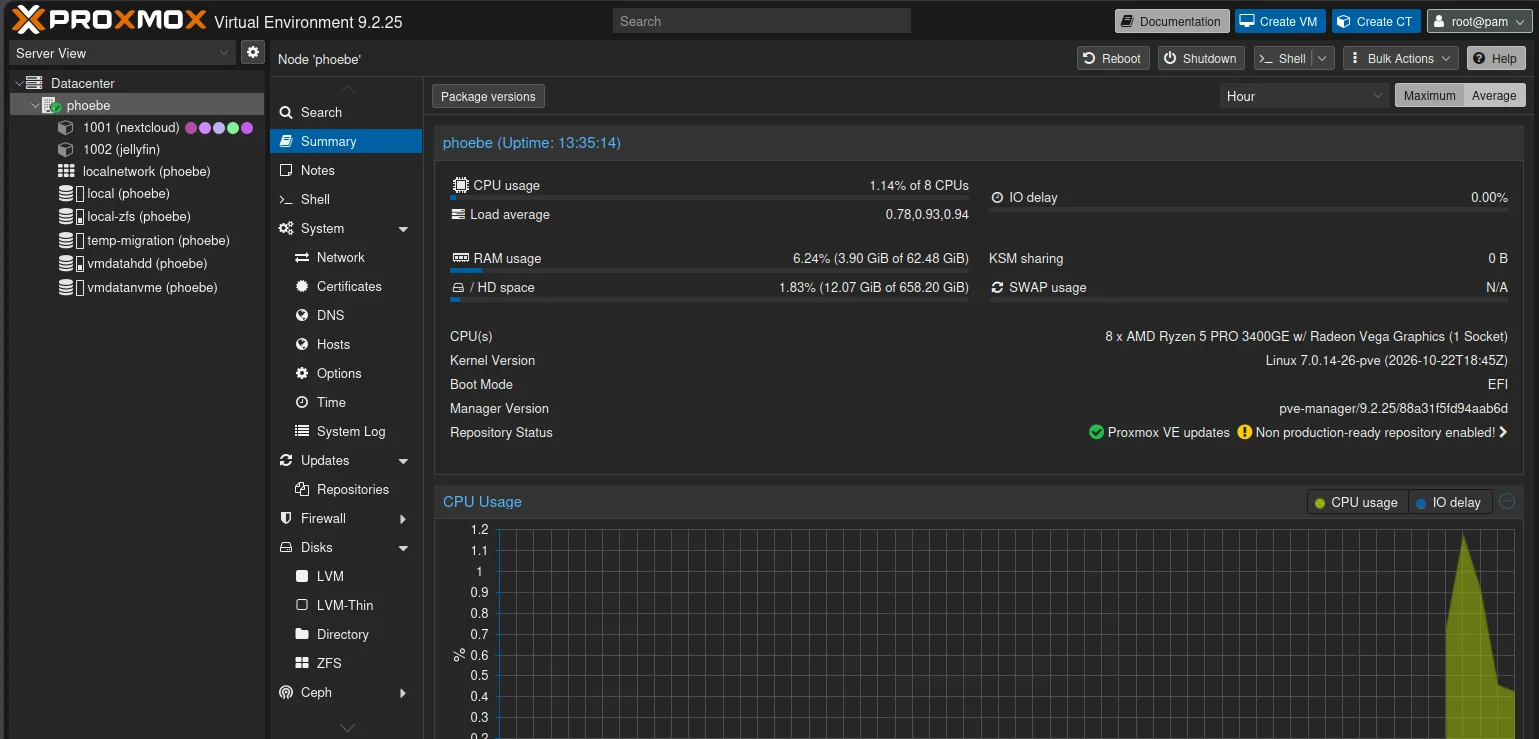
The cluster’s own name has the same rule: “This name cannot be changed later.” [1] I called mine kaddu-systems, after the company, because I’m going to use it for work as well as at home.
The joining node must be empty
The cluster is created on one node, and the others join it. A joining node gives up its own configuration: “All existing configuration in /etc/pve is overwritten when joining a cluster”, and “a joining node cannot hold any guests, since guest IDs could otherwise conflict” [1]. Two guests can’t both be number 100 in one cluster.
So the cluster starts on the node with the guests on it. For me that’s phoebe, with Nextcloud and Jellyfin. priscilla had one guest left, VM 100, the test virtual machine from part 2, and I deleted it. If you want to keep a guest on a joining node, back it up first, as in part 6, and restore it under a new number after the join. stephen runs no guests at all. It is in the cluster for its vote, as the next sections explain.
The joining node also takes over the cluster’s storage list: it “will inherit the cluster’s storage configuration” [1]. Part 4 set that up for this moment. The storage names are the same on phoebe and priscilla, and point at the same paths on both, so priscilla loses nothing when its list is replaced by phoebe’s.
Save what the join replaces
Before joining, I saved two things on priscilla and on stephen: the contents of /etc/pve, and root’s authorized_keys, the list of keys allowed to log in as root over SSH. On Proxmox that file is a link into /etc/pve, so the join replaces it too.
tar czf /root/etc-pve-before-join.tar.gz -C /etc pve
cp -L /root/.ssh/authorized_keys /root/authorized_keys.before-join
cp -L copies the file the link points to, not the link. These copies are for comparing afterwards. I didn’t need to restore anything in the end, but the keys gave me something to think about, further down.
Creating the cluster on phoebe
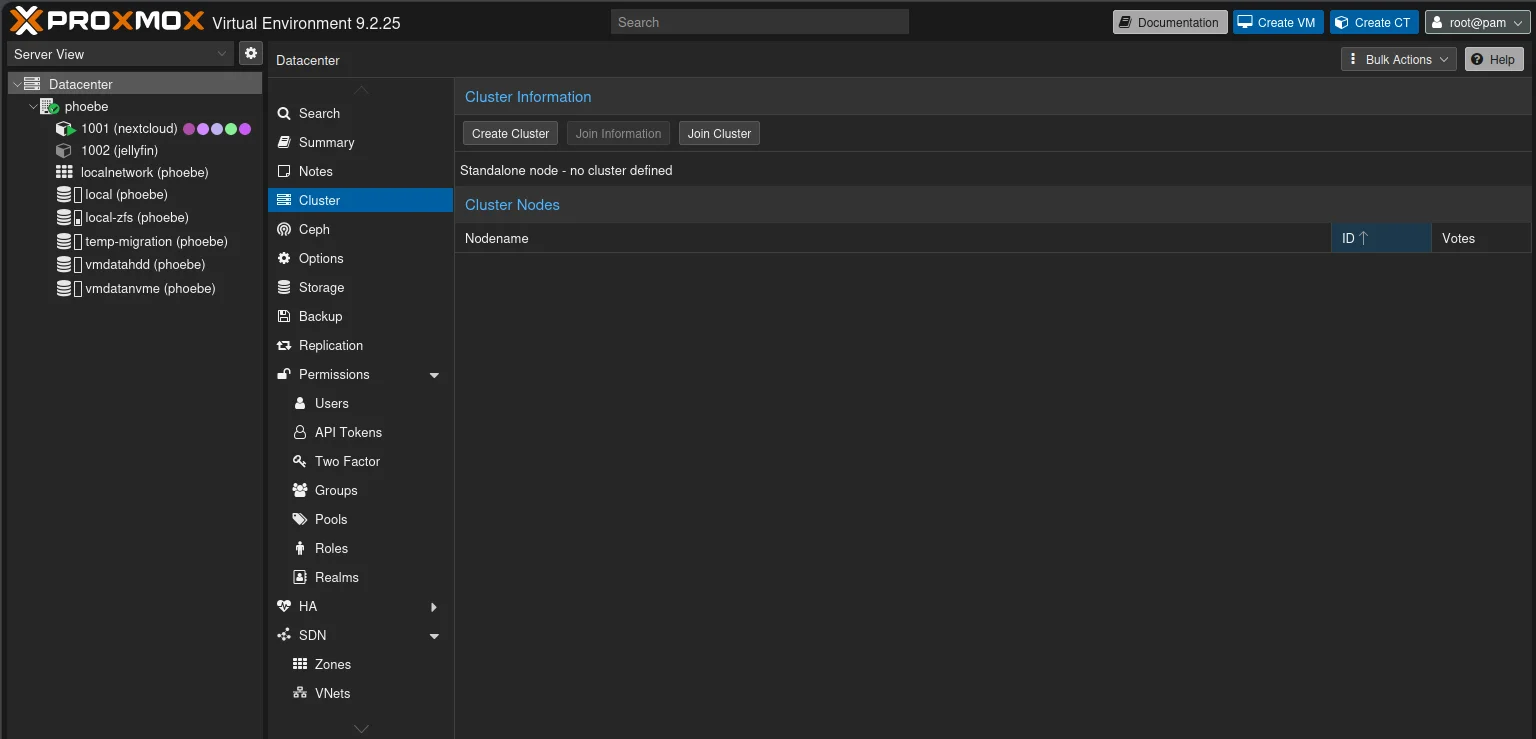
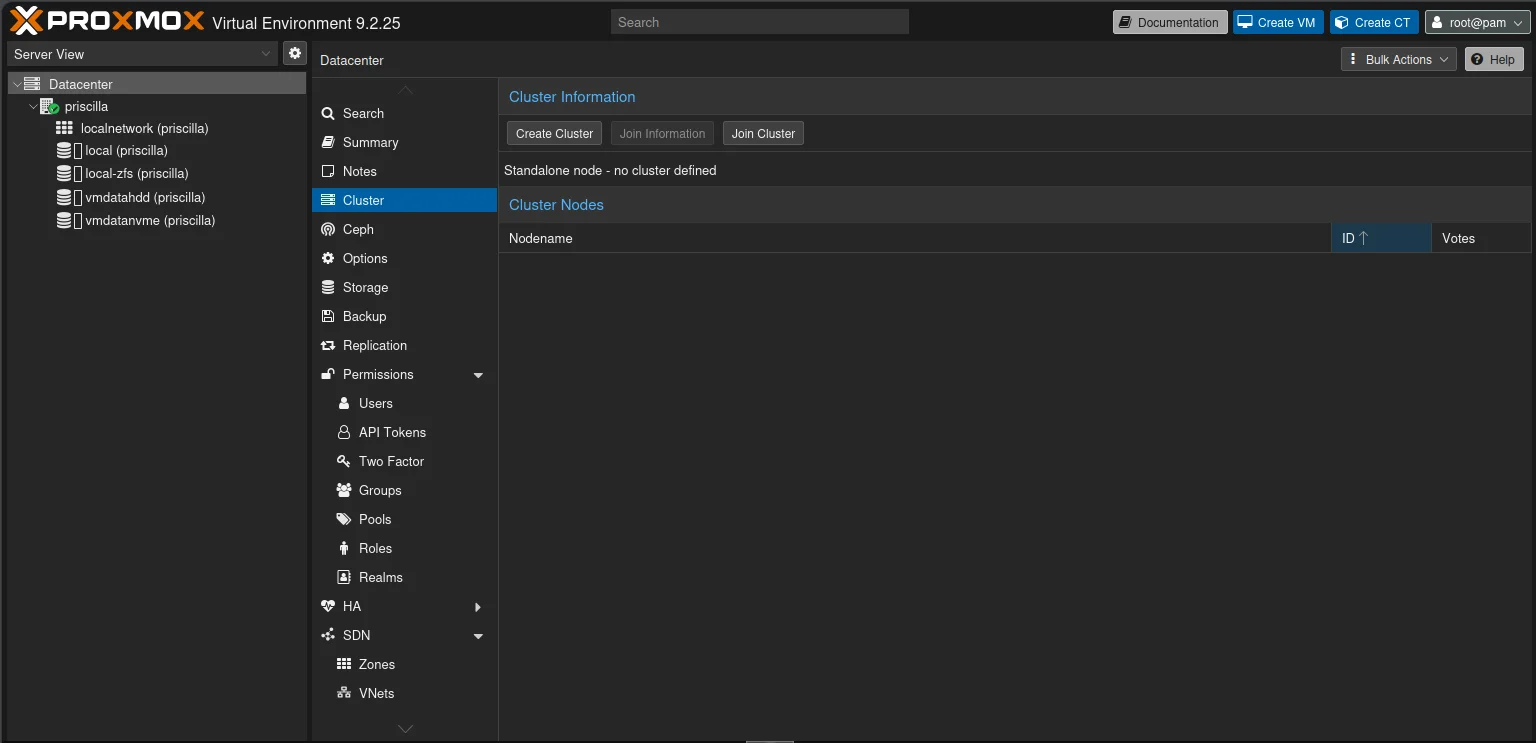
In phoebe’s web interface, select Datacenter and then Cluster. A standalone node says so: “Standalone node - no cluster defined”.
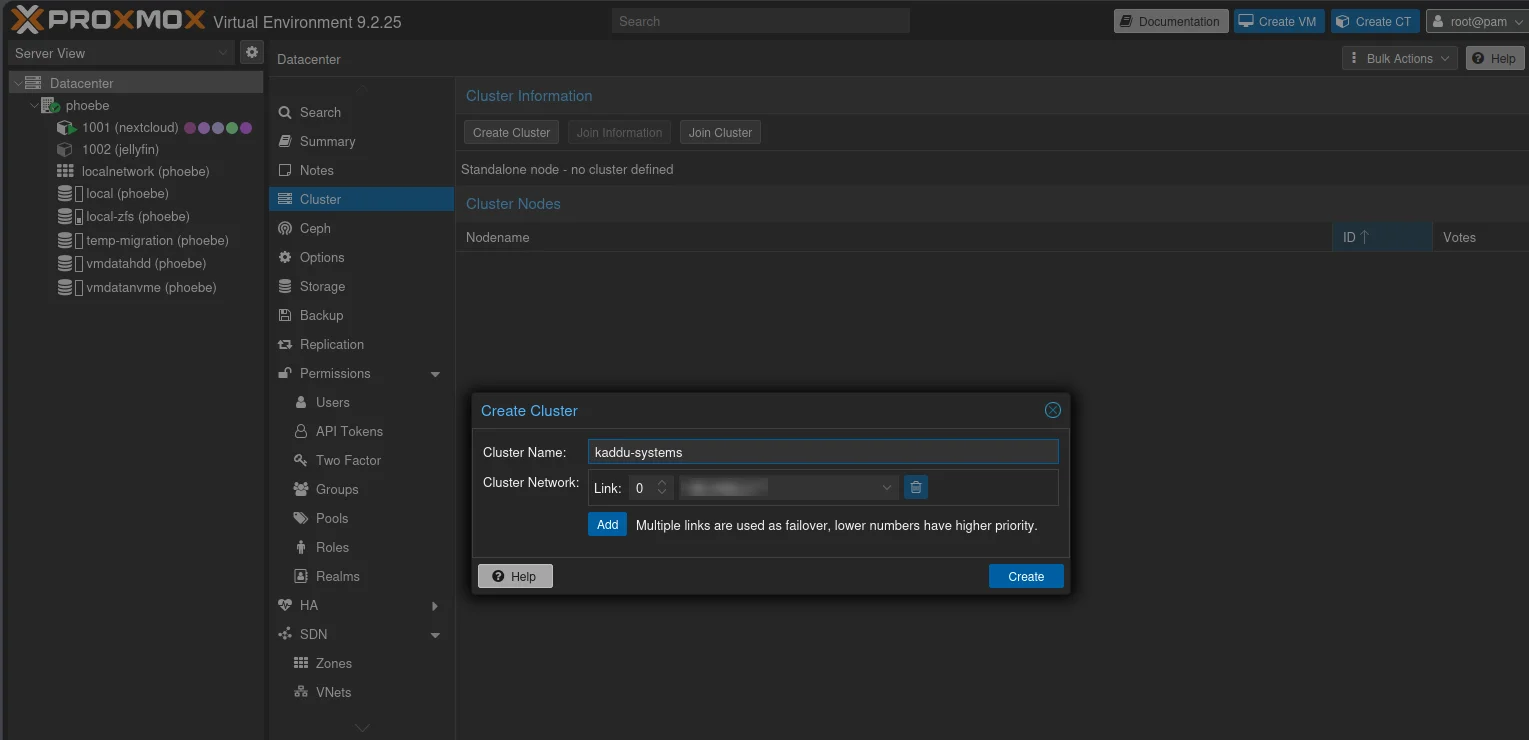
Create Cluster asks for two things. The name, kaddu-systems, and the cluster network: which of the node’s addresses corosync should use as Link 0. With one network port, there is one address to choose. More links can be added with Add, and “lower numbers have higher priority”, as the dialog says.
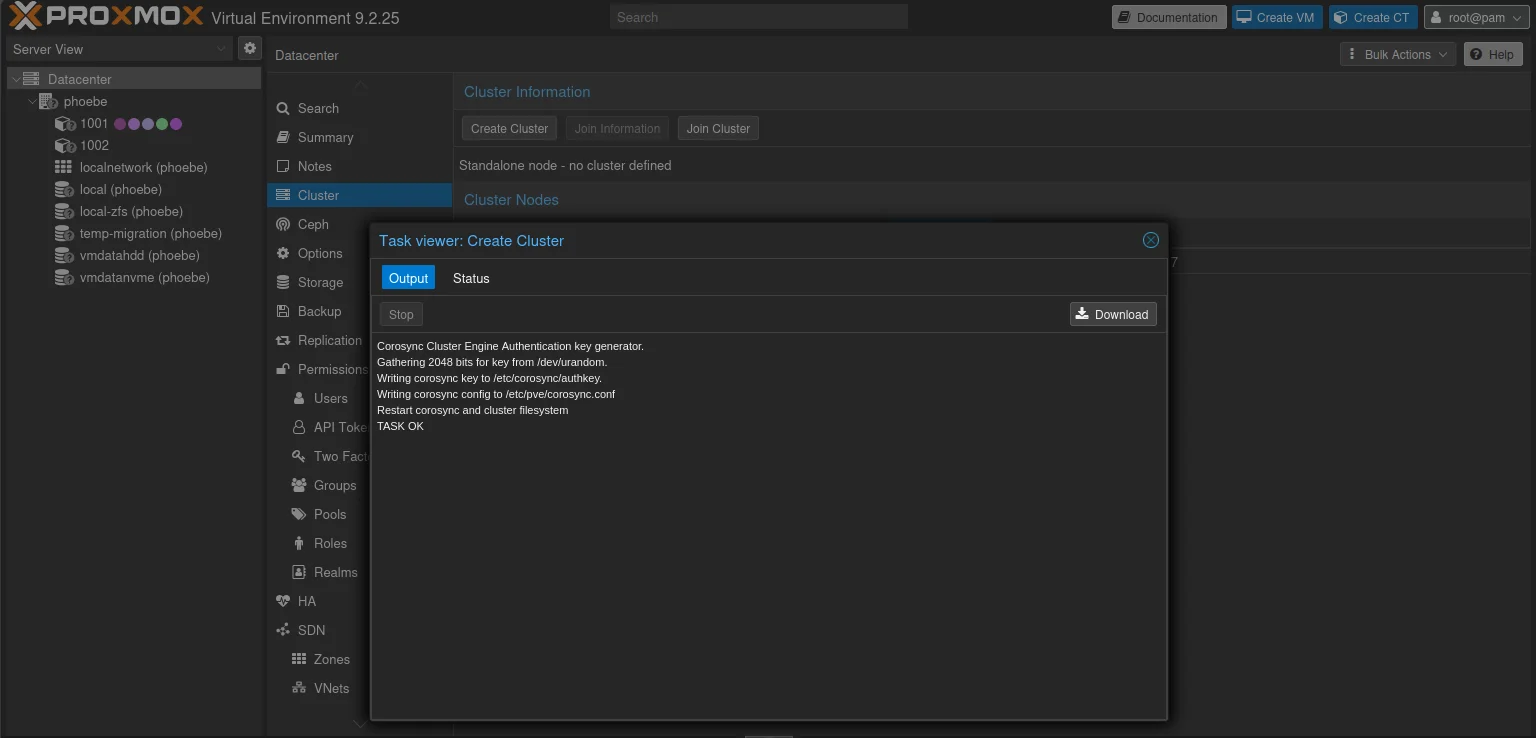
Create runs a short task. It makes the key the nodes use to trust each other, writes corosync’s configuration to /etc/pve/corosync.conf, and restarts corosync and the cluster file system. For a moment the tree on the left shows grey question marks while that happens, and then it ends with TASK OK. Nextcloud and Jellyfin kept running through it.
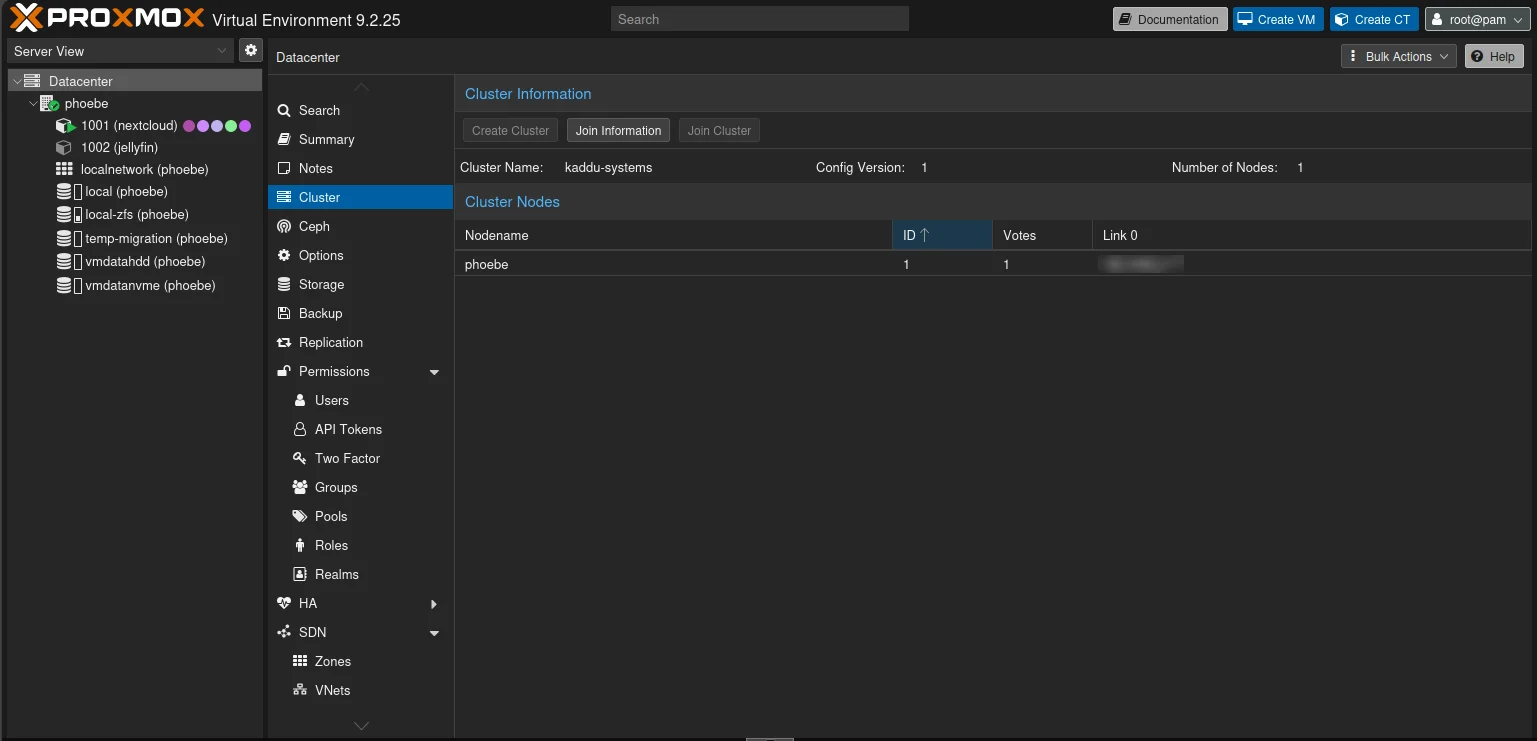
The Cluster page now shows a cluster of one: the name, Config Version 1, one node with one vote. The command-line way to do the same is pvecm create kaddu-systems [1].
Joining priscilla and stephen
A joining node needs three things from the cluster: an address to reach it on, its certificate’s fingerprint, and the root password. The first two come packed in one string. On phoebe, Join Information shows it, and Copy Information puts it on the clipboard.
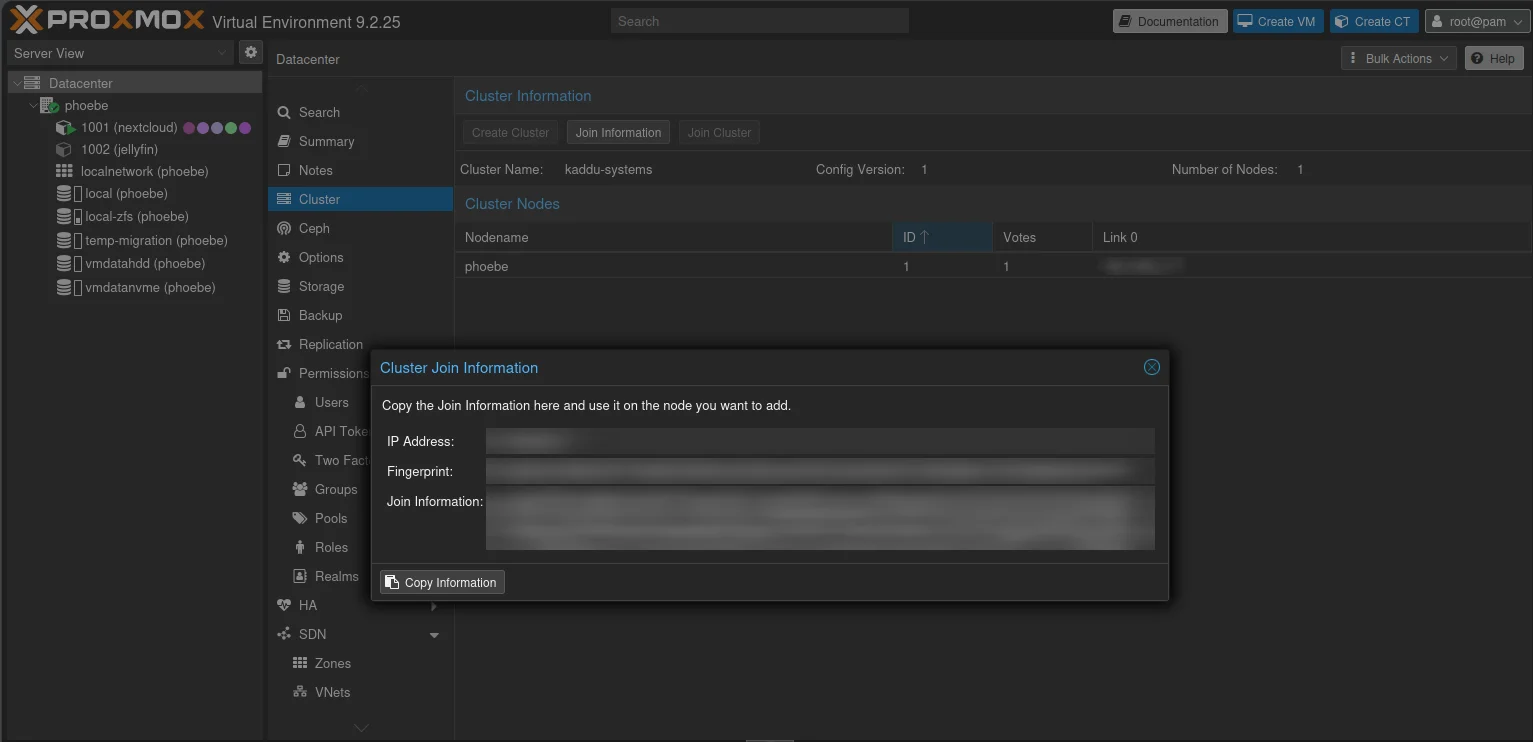
The join string holds the fingerprint and the address in a form you paste, not read. It isn’t a password, but there is no reason to show it to anyone, which is why it’s blurred here along with every address.
On priscilla, which so far is still a standalone node with its own storages, go to Datacenter, Cluster and Join Cluster.
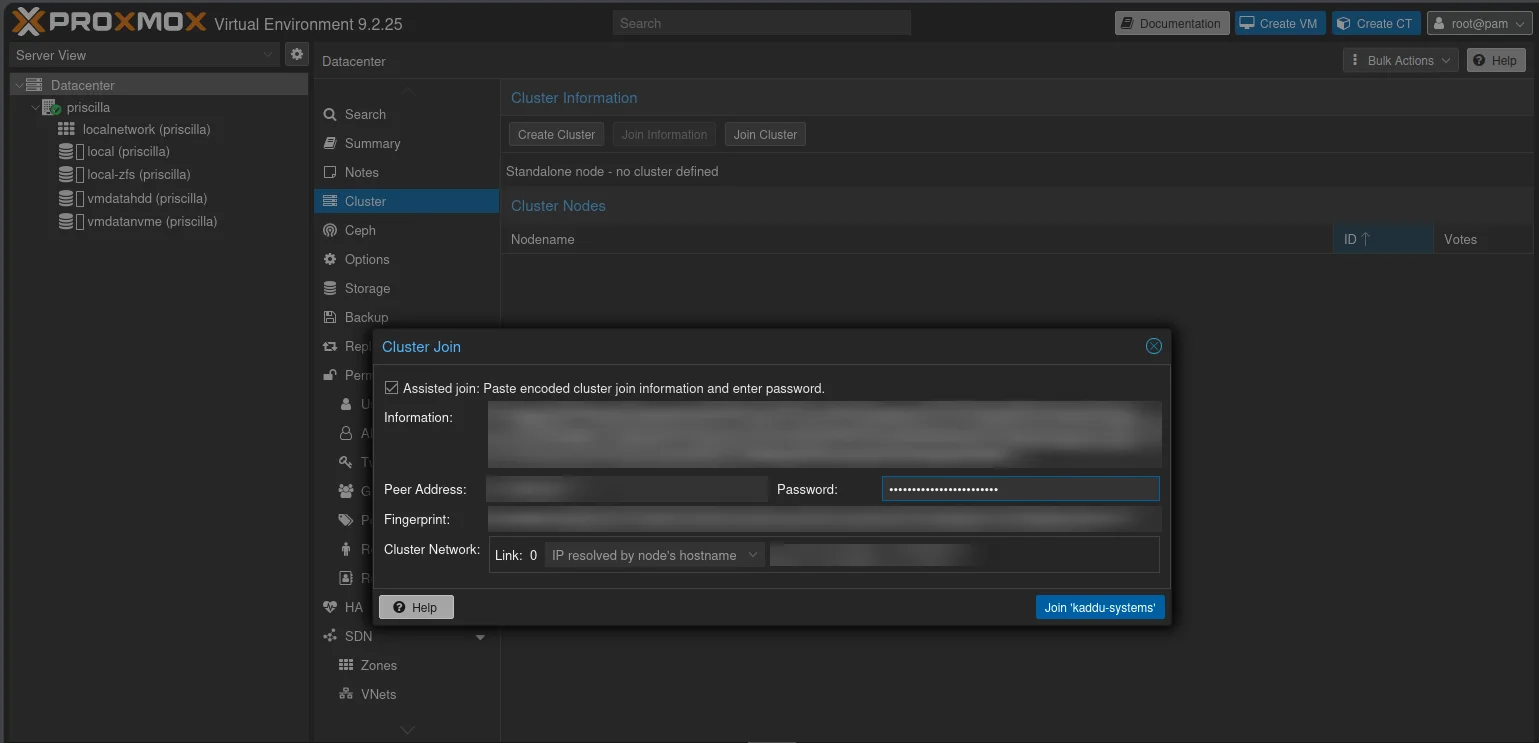
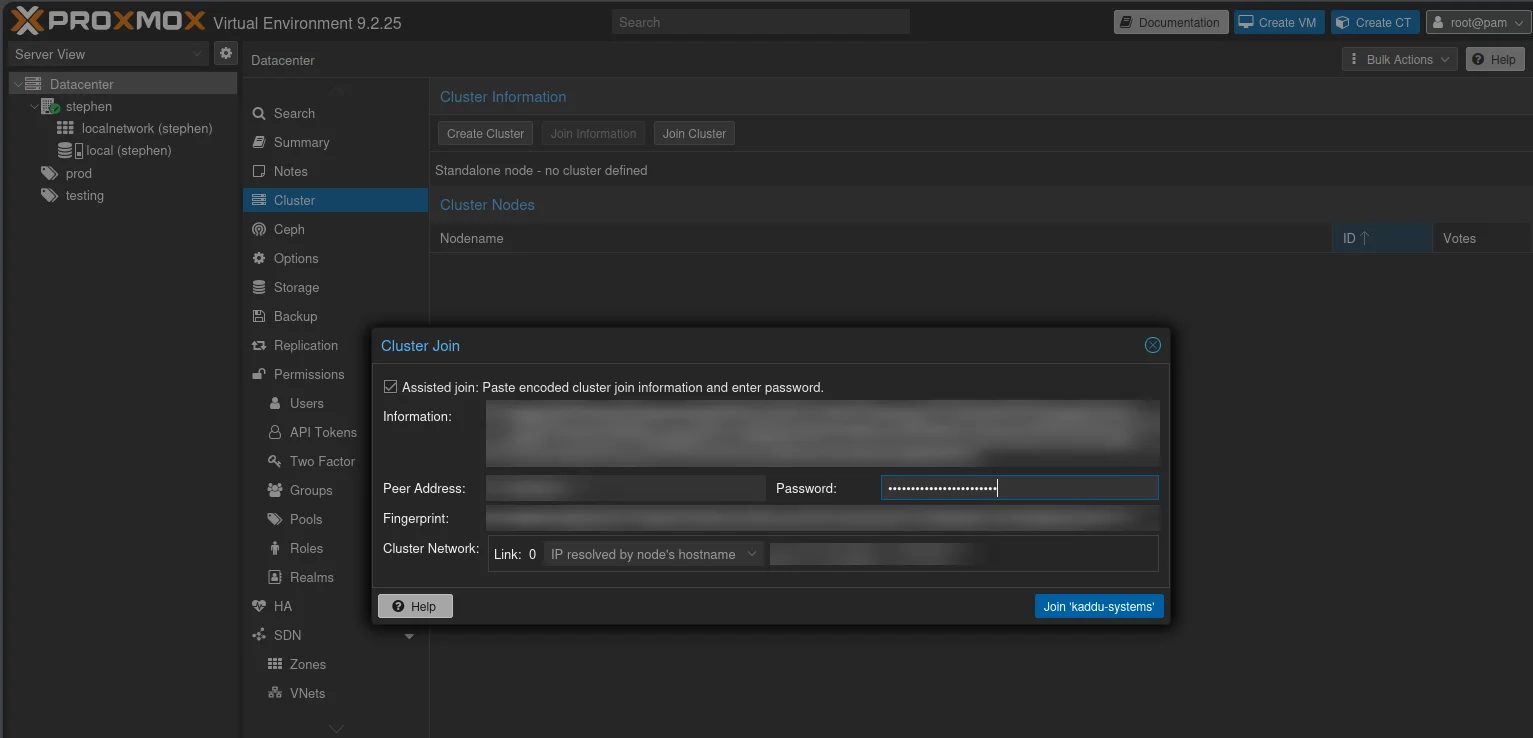
With Assisted join ticked, paste the string into Information. That fills in the peer address (phoebe) and the fingerprint. The password is the root password of phoebe, the node you join through. Link 0 is left at “IP resolved by node’s hostname”, which is why /etc/hosts had to be right. The button says Join ‘kaddu-systems’.
The task logs in on phoebe, asks to be added, and then “finishing setup locally” replaces priscilla’s /etc/pve with the cluster’s. On the command line, the same is pvecm add with phoebe’s address [1].
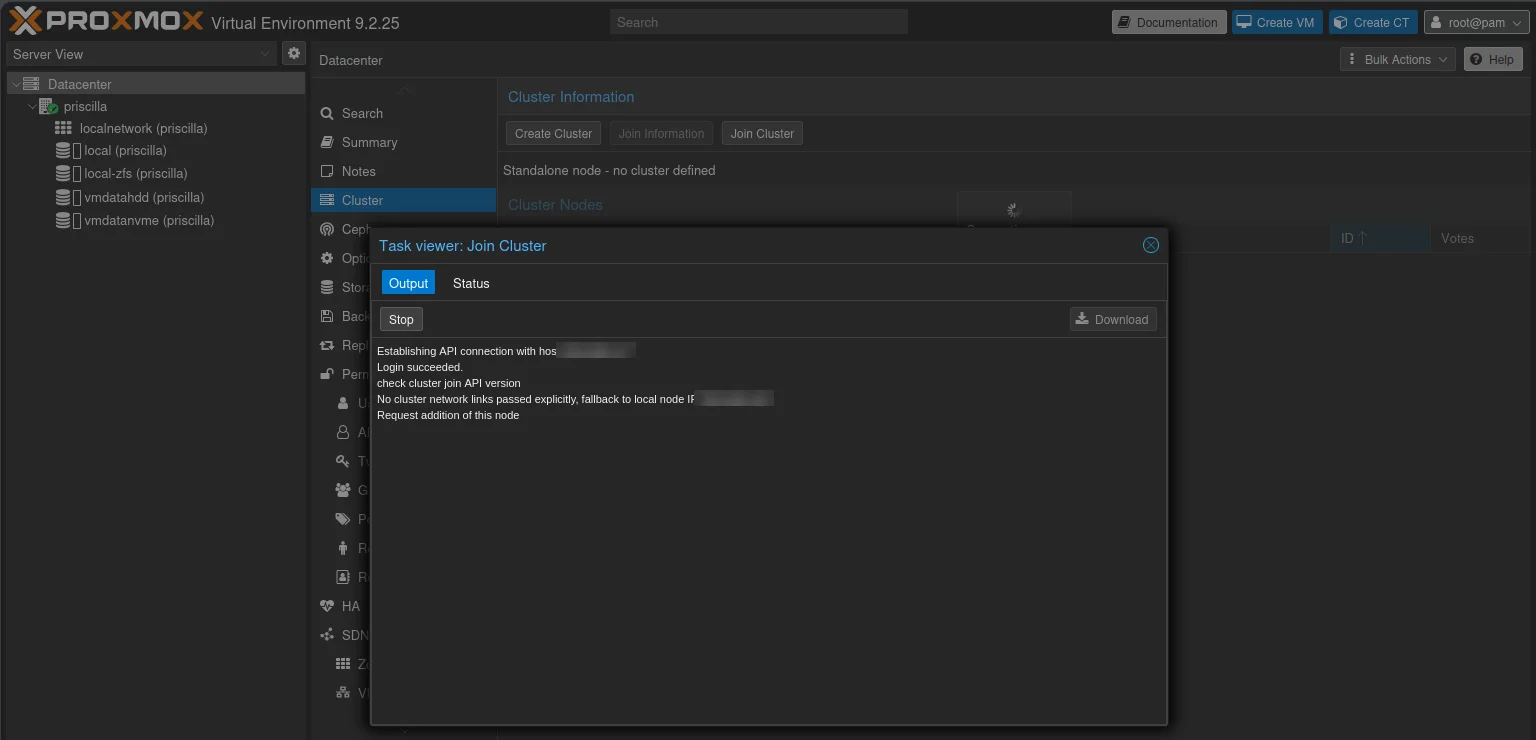
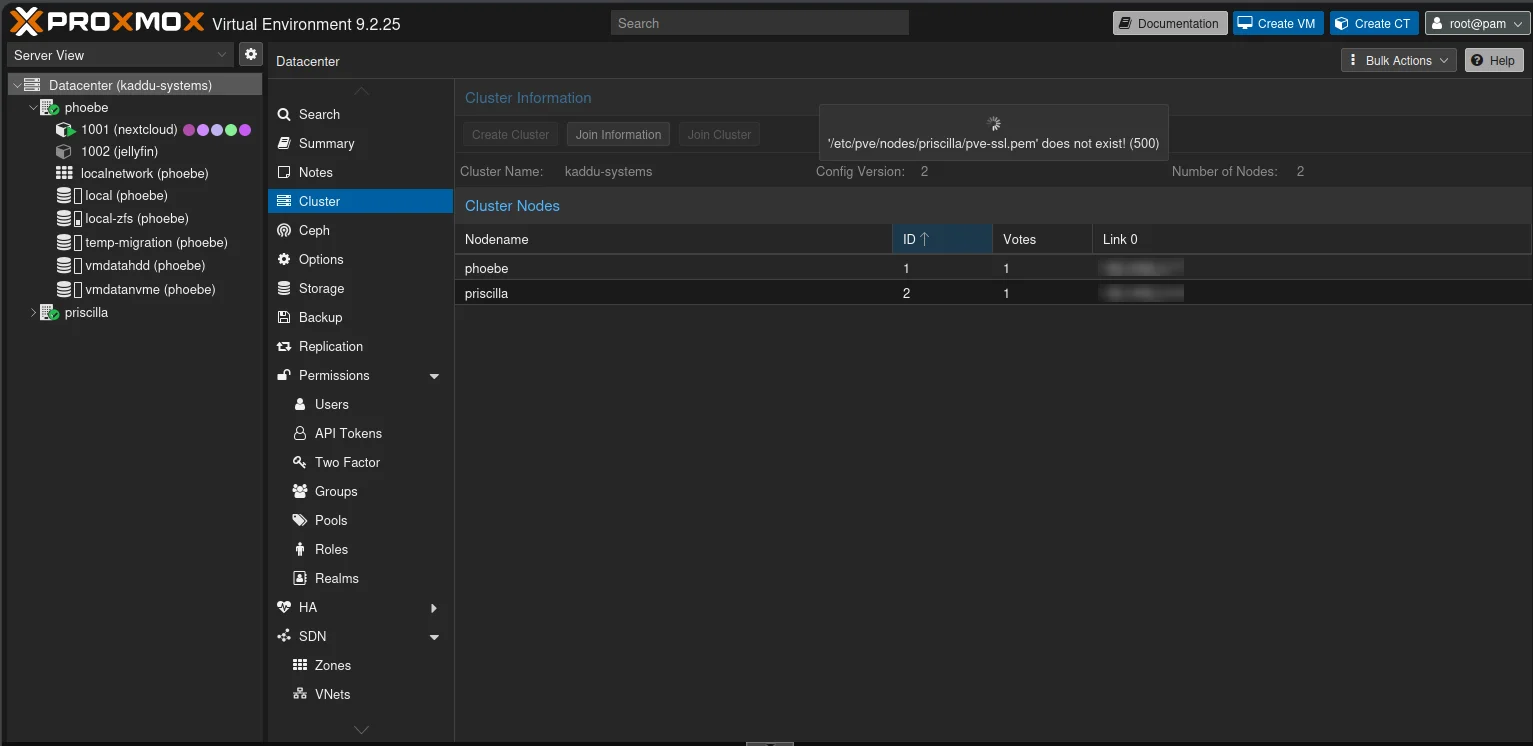
While that ran, phoebe’s web interface showed an error for a few seconds: '/etc/pve/nodes/priscilla/pve-ssl.pem' does not exist! (500). priscilla was already in the list of nodes, but hadn’t made its certificate yet. It cleared by itself once the join finished. If you see it, give it a moment before you start fixing anything.
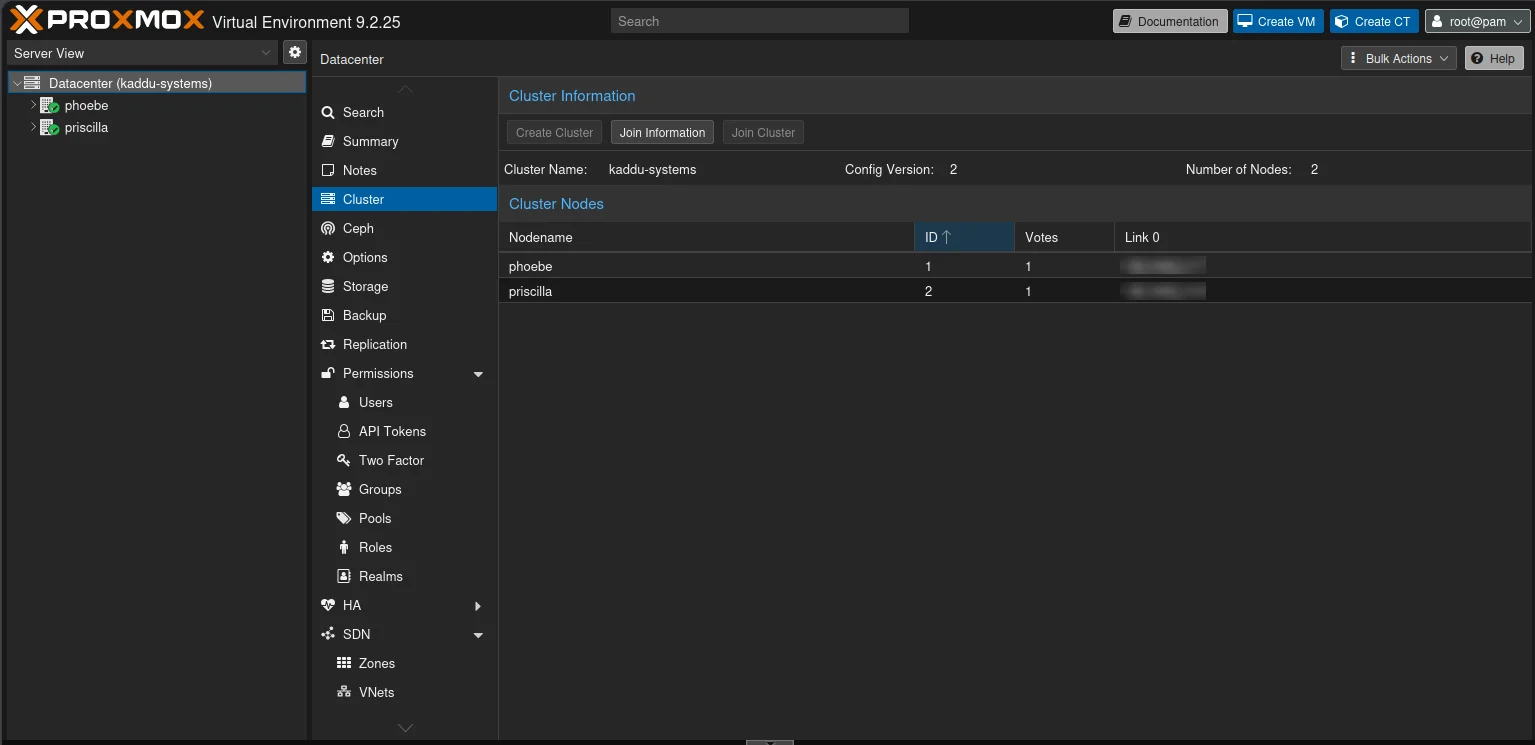
priscilla’s own web interface stops answering during the join, because its certificate is replaced by one from the cluster. Reload the page and log in again. Then priscilla’s tree shows both nodes, and the cluster is at Config Version 2.
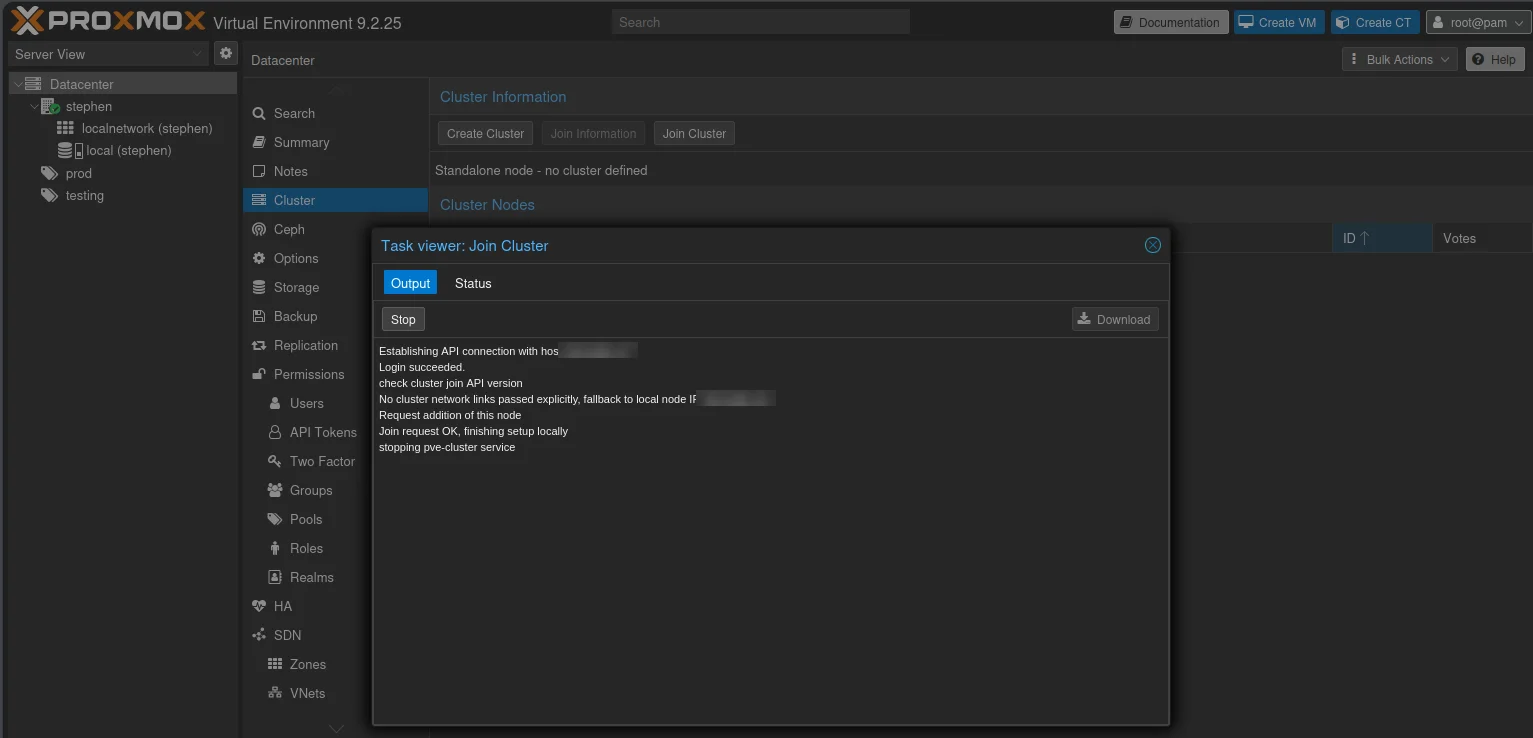
stephen joined the same way, through phoebe, with the same join string and phoebe’s password. Before the join, stephen’s tree had only its own local storage and its network.
The task ran over the PowerLine link without any trouble. The last line, “stopping pve-cluster service”, is where stephen’s own /etc/pve is swapped for the cluster’s, and the page stopped answering.
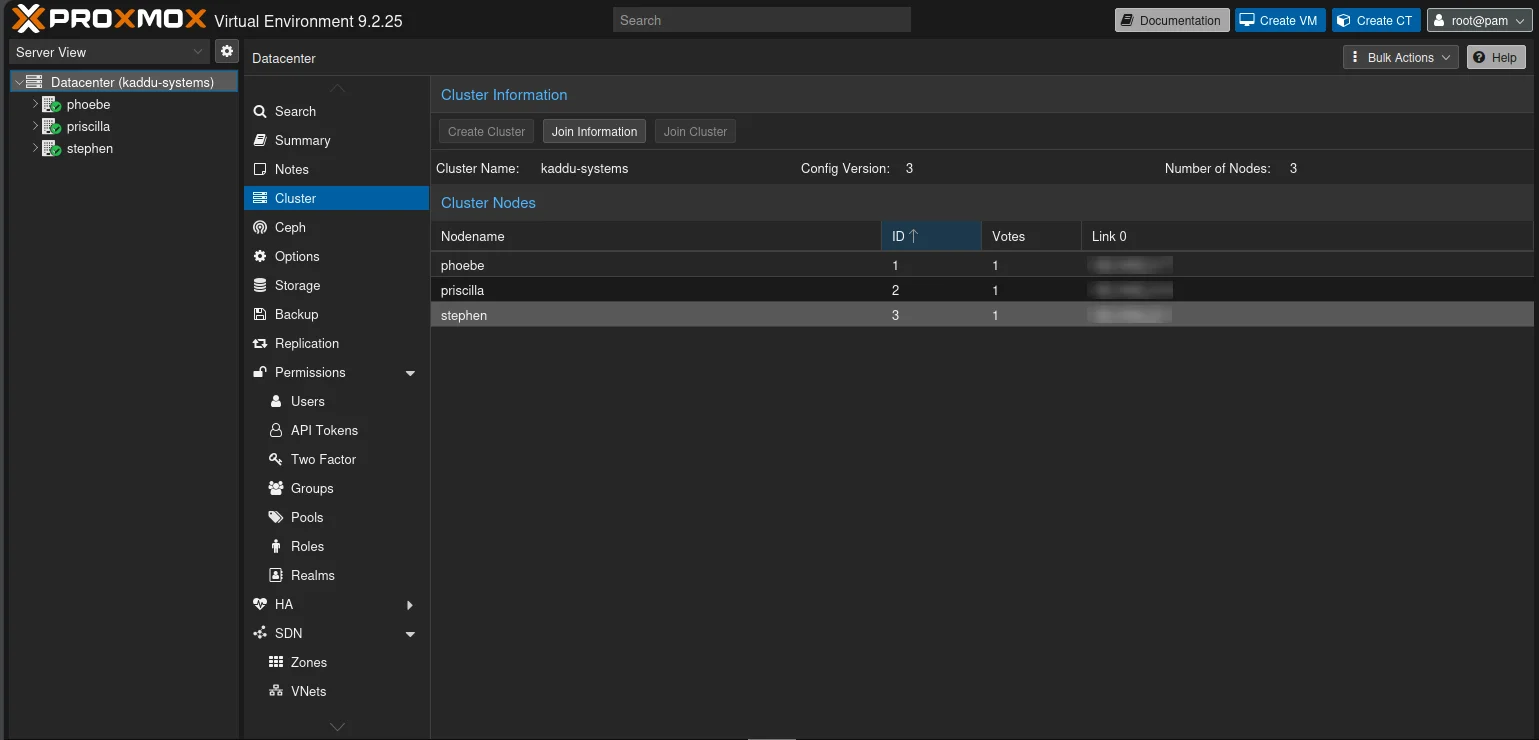
After a reload: three nodes, three votes, Config Version 3, and Datacenter (kaddu-systems) at the top of the tree on every one of them.
Quorum, and why three nodes
Every node has one vote [1]. Changes to the cluster need a majority of the nodes, and without one, the cluster goes read-only [1]. In practice: guests that are running keep running, but you can’t start one or change a setting until enough nodes are back.
pvecm status, in the Shell of any node, shows where the cluster stands [1]. This is mine, run on phoebe after stephen joined. I’ve replaced the addresses with the node names:
Cluster information
-------------------
Name:             kaddu-systems
Config Version:   3
Transport:        knet
Secure auth:      on

Quorum information
------------------
Date:             Wed Nov  4 21:31:28 2026
Quorum provider:  corosync_votequorum
Nodes:            3
Node ID:          0x00000001
Ring ID:          1.260
Quorate:          Yes

Votequorum information
----------------------
Expected votes:   3
Highest expected: 3
Total votes:      3
Quorum:           2
Flags:            Quorate

Membership information
----------------------
    Nodeid      Votes Name
0x00000001          1 phoebe (local)
0x00000002          1 priscilla
0x00000003          1 stephen
The lines to read are in the middle. Expected votes: 3 and Total votes: 3: all three are there. Quorum: 2: two votes are a majority. Quorate: Yes: the cluster has its majority and works normally.
The web interface shows the same on Datacenter > Summary: the cluster’s name, “Quorate: Yes”, and three nodes online, with each node’s load next to it.
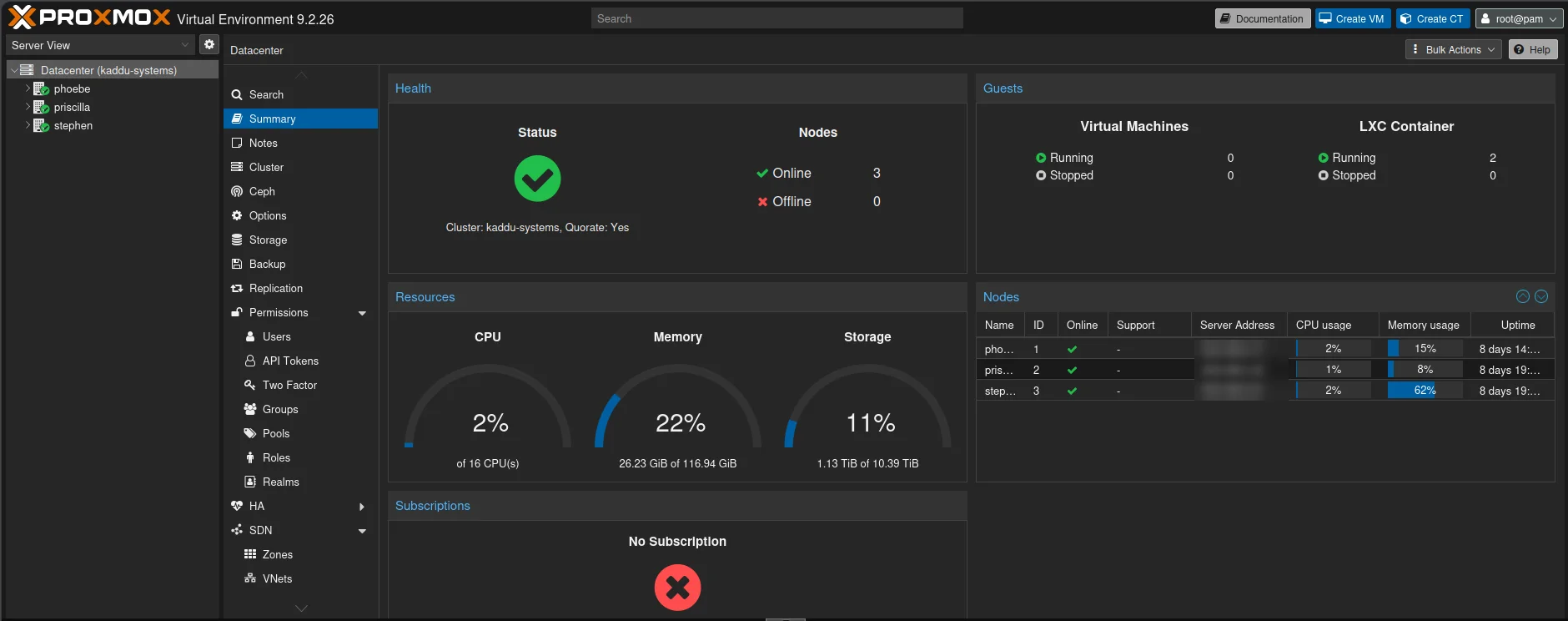
With three nodes, one can be away and the other two still have their majority. I can reboot phoebe for an update, or stephen can be off, and the cluster carries on. With two of them gone, the last one is on its own and goes read-only.
That is stephen’s job in this cluster: to be the third vote. It is a full Proxmox node, but it runs no guests, and I don’t plan for it to until the link to the garage is a real cable, preferably fibre. A vote needs a link that is quick and steady, and the PowerLine link is that. A guest that moves there would need its disk copied over 25 to 30 Mbit/s, and that is where it falls short.
With two nodes: the QDevice
Many homelabs have two servers, not three, and two is an awkward number for a cluster. Two votes make a majority of two, so if either node is off, the other one goes read-only.
Proxmox’s answer is a QDevice: “For smaller 2-node clusters, the QDevice can be used to provide a 3rd vote.” [1] It is a small service, corosync-qnetd, on a third machine that is not part of the cluster, such as a Raspberry Pi. It doesn’t need the low latency the nodes need between themselves [1]. Before stephen was on Proxmox, that was my plan too, and I looked at a spare Pi, the Home Assistant Pi and the coming OPNsense firewall as places for it. With stephen as a full third node, the question went away.
After the join
The cluster works as soon as the last join is done. These are the things I checked afterwards, and they are where most of the surprises are.
Root’s SSH keys
The nodes of a cluster log in to each other as root over SSH, and to make that work they share one authorized_keys file in /etc/pve. When priscilla and stephen joined, their own list of keys was replaced by the cluster’s.
So I compared the copy from before the join with the file after. The keys that had disappeared were all old: one from a machine I no longer have, one from a server that is gone, one from the earlier installation on phoebe’s hardware, and stephen’s previous key. stephen’s current key was already in the cluster’s file. I put none of them back.
That is the point I would make about it. The join cleaned up a list that had grown over years without me looking at it. Before you put keys back after a join, look at what each one is and where it comes from. A key belongs there only if that machine should be able to log in as root on all of your servers.
Storage
The storage list is one file for the whole cluster, and after the join every node has phoebe’s version of it. The tiers from part 4, vmdatanvme and vmdatahdd, are set to the nodes phoebe and priscilla, and both servers have the pools behind them, so priscilla’s storage looked as it did before. On stephen, pvesm status lists them as “disabled”. That’s what a storage set to other nodes looks like on a node it isn’t for, not an error.
local-zfs, which has no node setting, now shows up on all three, stephen included. That is fine: every node was installed with ZFS, so the path exists on each.
What lives outside /etc/pve
The join only replaces what is in /etc/pve. stephen’s backups are not there. They are ZFS datasets on stephen’s own pool, pulled from the other servers by syncoid from a cron job, as part 6 describes, and none of that is a Proxmox storage. The join didn’t touch them.
What the join did change was access. Before, stephen couldn’t log in to priscilla, and I had left priscilla’s backup lines in the cron file commented out until the join. After it, stephen’s key was in the cluster’s shared file, so it could. The first pull still failed with “Host key verification failed”, because stephen had never connected to priscilla and didn’t know its host key. Run the command once by hand, compare the fingerprint it shows with priscilla’s own (ssh-keygen -lf /etc/ssh/ssh_host_ed25519_key.pub on priscilla), and answer yes. After that, cron runs it without asking.
The same goes for anything else you have set up by hand on a node, in its own files. It survives the join, and it is worth a test run afterwards. The firewall is the one thing to save first if you use it, since its rules are in /etc/pve. Mine was never configured on any of the three, so there was nothing to lose.
Moving guests between the nodes
This is what I built the cluster for, and it gets its own part next week. In short: select a guest, press Migrate, and pick the node. A virtual machine can move while it runs. A container is stopped, moved and started again, which takes seconds.
With local ZFS, as I have, the disk is copied to the other node as part of the move, so the time it takes depends on the size of the disk. That is where replication comes in. It keeps a recent copy of a guest’s disks on another node, so a move only has to send what changed since the last copy [4]. Next week, Jellyfin moves from phoebe to priscilla and back.
What about high availability?
High availability is the step after a cluster: if a node dies, its guests are started on another node automatically. Proxmox lists what it needs, and it is more than three nodes. “At least three cluster nodes (to get reliable quorum)”, “shared storage for VMs and containers”, and “hardware redundancy (everywhere)” [3]. It also has to be sure a failed node is really off before starting its guests elsewhere. That is called fencing, and in Proxmox a node that loses contact with the others reboots itself after a watchdog runs out, 60 seconds [3].
I have the three nodes, but not the rest. There is no shared storage, the third node is behind PowerLine and runs no guests, and a Tiny with one network port and one power supply is not redundant hardware. For a homelab where I’m the only one who notices when Nextcloud is down, being able to move guests by hand before planned work is what I actually need. High availability can wait for better hardware, if it ever comes.
What’s next
Next week, in part 8, the cluster earns its keep: moving containers and virtual machines between the nodes, with Jellyfin as the example, and replication to make it fast. After that, part 9 gives a guest the server’s built-in graphics, and part 10 expands a ZFS mirror.
One thing this part leaves alone is the network. Each node has its own vmbr0, set up by hand as in part 5, and a guest that moves to another node only finds the same network there because I keep the nodes alike. Proxmox’s SDN can manage the networks for the whole cluster in one place. Whether that is worth it on three small nodes, I don’t know yet, so it gets a post of its own once I have tried it.
Sources
- Cluster Manager (Proxmox VE wiki), pulled 2026-10-09 and rechecked 2026-11-05: requirements (ports, SSH, time, versions, a dedicated NIC), latency and jitter, joining a node, names that can’t change, quorum, and the QDevice.
- Deploy Hyper-Converged Ceph Cluster (Proxmox VE 9.2 documentation), pulled 2026-10-29
- High Availability (Proxmox VE documentation), pulled 2026-11-05: requirements and fencing.
- Storage Replication (Proxmox VE 9.2 documentation), pulled 2026-10-29